> ## Documentation Index
> Fetch the complete documentation index at: https://docs.cloud.vessl.ai/llms.txt
> Use this file to discover all available pages before exploring further.
# Manage secrets
> Update, rotate, and delete org-level secrets — the operations reserved for Organization admins.
Secrets are encrypted, organization-scoped credentials that any member can create and use in a batch job — see [Secrets](/member/settings/secrets) for what they are, how the encryption works, and how to create and inject them. This page covers the operations reserved for **Organization admin**: updating and deleting secrets.
## Permissions
| Operation | Who can perform it |
| --------------------------------------------------- | --------------------------- |
| Create | Anyone in the organization |
| View list and metadata | Anyone in the organization |
| Update (rotate value, rename key, edit description) | **Organization admin** only |
| Delete | **Organization admin** only |
There is no creator exception: a member can't update or delete a secret they created themselves. Members don't see the edit and delete controls on the secrets list — the row menu appears for admins only.
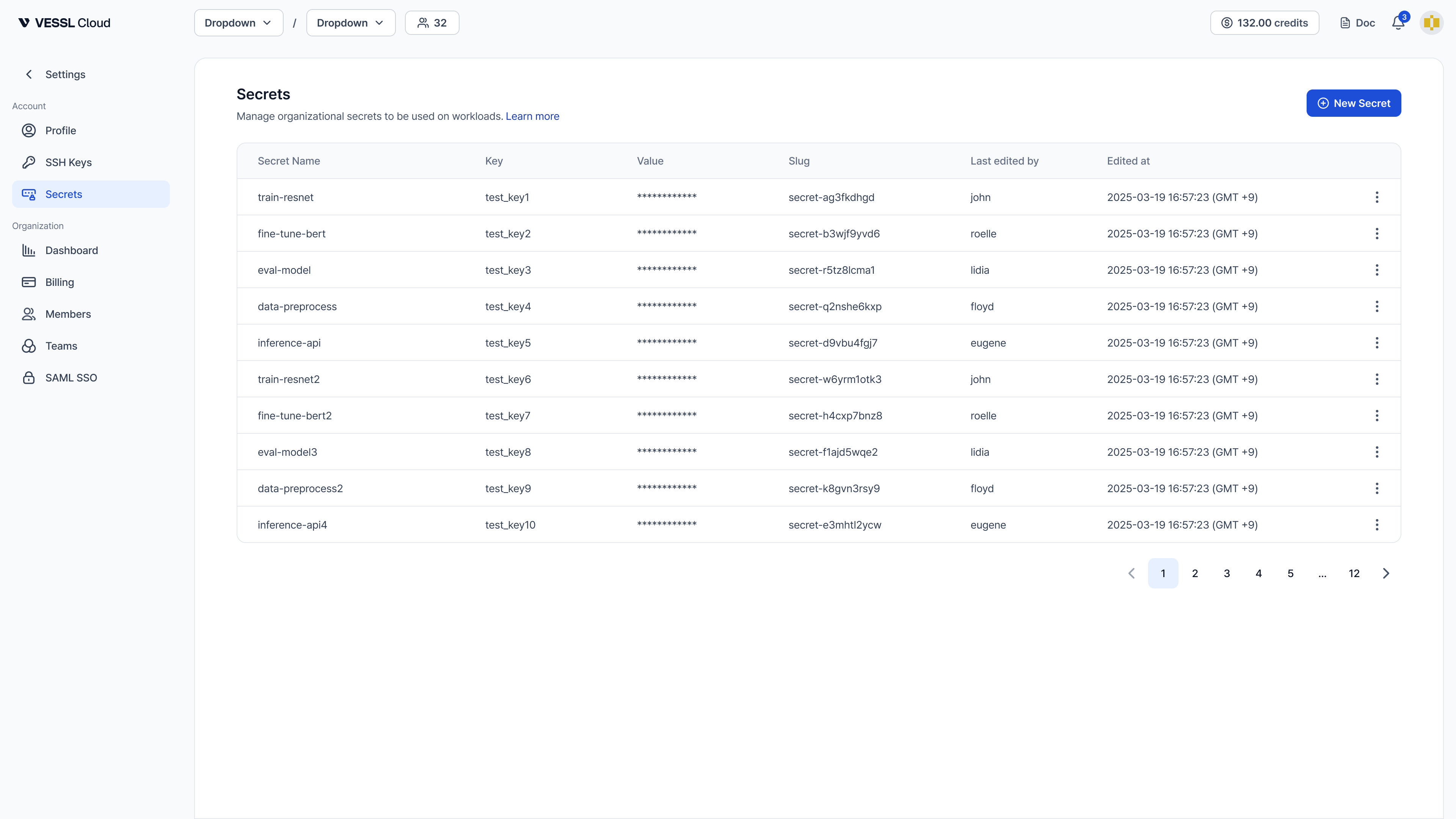 Example: Secrets page as an admin sees it — each row has an edit and delete menu
Watch a short demo of creating, editing, and deleting a secret on VESSL Cloud.
## Update a secret
Rotate the value, rename the env-var key, or edit the description. Secret values are write-only: after a secret is saved, no one can view the value again, so rotation means overwriting it with a new value — the previous value can't be retrieved.
### GUI
1. In the sidebar, select **Settings**.
2. Select **Secrets** under **Account**.
3. Open the row menu on the secret and select **Edit**.
4. Edit the **Key** or enter a new **Value**, then save. Every key-value pair is overwritten in this secret. (The secret name is fixed; description editing is CLI-only.)
### CLI
```bash theme={null}
# Rotate the value (interactive prompt)
vesslctl secret update
# Rotate the value from an env var
vesslctl secret update --from-env NEW_HF_TOKEN
# Rename the env-var key (metadata-only, no value rotation)
vesslctl secret update --key NEW_KEY
# Edit the description
vesslctl secret update --description "Rotated 2026-05"
```
Running workloads do **not** pick up updated secret values automatically. Restart the workload to use the new value.
## Delete a secret
### GUI
1. In the sidebar, select **Settings**.
2. Select **Secrets** under **Account**.
3. Open the row menu on the secret and select **Delete**.
### CLI
```bash theme={null}
# Delete (with confirmation)
vesslctl secret delete
# Delete without confirmation
vesslctl secret delete -y
# Include soft-deleted entries when listing
vesslctl secret list --include-deleted
```
Deletion is a **soft delete**: deleted secrets are kept for audit, and their names become available for reuse immediately.
## FAQ
Anyone in the organization can view secrets and create new ones. Updating or deleting a secret — including one the member created themselves — requires the **Organization admin** role, so members don't see the edit and delete controls on the secrets list.
No. Secrets are injected at container start. Restart the workload to pick up the new value.
Yes. Deleted secrets are soft-deleted, so the name becomes available immediately. Pass `--include-deleted` to `vesslctl secret list` to inspect the history.