> ## Documentation Index
> Fetch the complete documentation index at: https://docs.cloud.vessl.ai/llms.txt
> Use this file to discover all available pages before exploring further.
# Volume list
> See all storage volumes and the overall storage summary.
The Volume list page shows org-wide summary (total capacity, number of volumes, monthly cost, accessible clusters) and a list of volumes with:
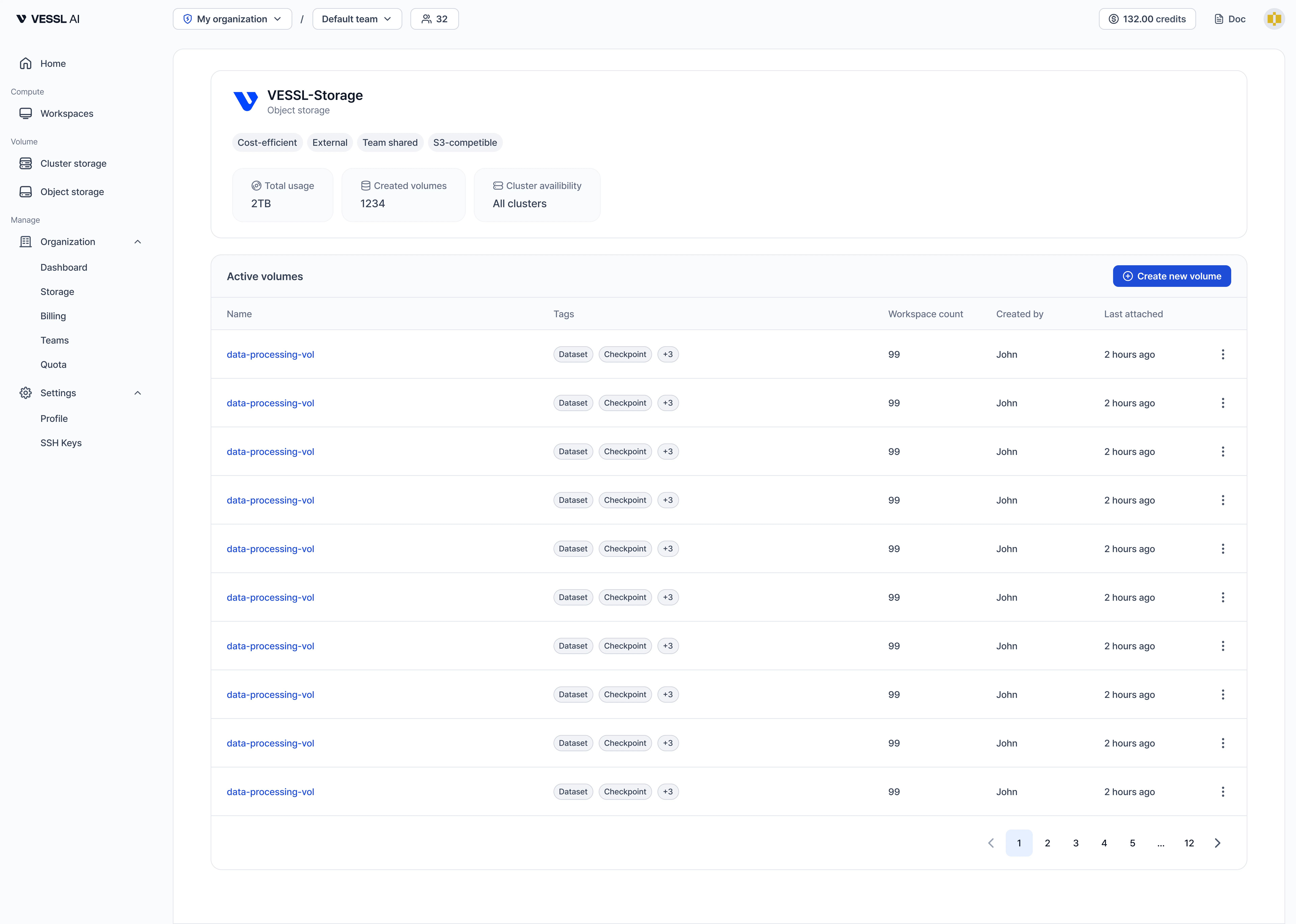 Example: Object storage volume list
| Field | Description |
| ------------- | ------------------------------------------------ |
| Name | Volume name |
| Type | Storage type (Object storage or Cluster storage) |
| Usage | Current storage usage |
| Teams | Teams with access to this volume |
| Created by | User who created this volume |
| Cluster | Clusters where the volume can be mounted |
| Last accessed | Last time the volume was attached to a workspace |
Members also see this same volume list. For the member guide, see [View volumes](/member/volume/list).