> ## Documentation Index
> Fetch the complete documentation index at: https://docs.cloud.vessl.ai/llms.txt
> Use this file to discover all available pages before exploring further.
# Updates
> Release notes for the VESSL Cloud platform
### **In-app notifications**
A new **notification center** in the header surfaces key events in real time, so you no longer have to rely on email.
#### Key updates
* **Notification center**: See workspace, job, monitoring, firewall, and credit events in the header, and click any one to jump to the related resource.
* **Inbox and Archive**: New notifications land in **Inbox**; archive the ones you've handled and restore them anytime. All are kept for 30 days.
* **Per-category preferences**: Choose whether each category reaches you by **Email**, **Inbox**, or both, and mute the **Workspace** or **Job** groups with a section toggle.
* **Always-on for billing and security**: Credit alerts and firewall rule changes are always emailed and can't be turned off.
See [Manage notifications](/member/settings/notifications).
### **Redesigned Billing page**
The **Billing** page is simpler: the three separate credit tabs (Overview, Usage report, Credit history) are merged into one **Credits** page.
#### Key updates
* **One Credits tab**: Balance, payment method, usage trends, breakdown, and credit history now sit on a single page — no more tab-hopping.
* **Same info, less clicking**: Every panel, chart, and table carries over unchanged, just reorganized.
* **Credits only**: VM cluster contracts are invoiced separately and don't draw down your credit balance.
See [Billing overview](/admin/billing/overview).
### **VM Clusters (Beta)**
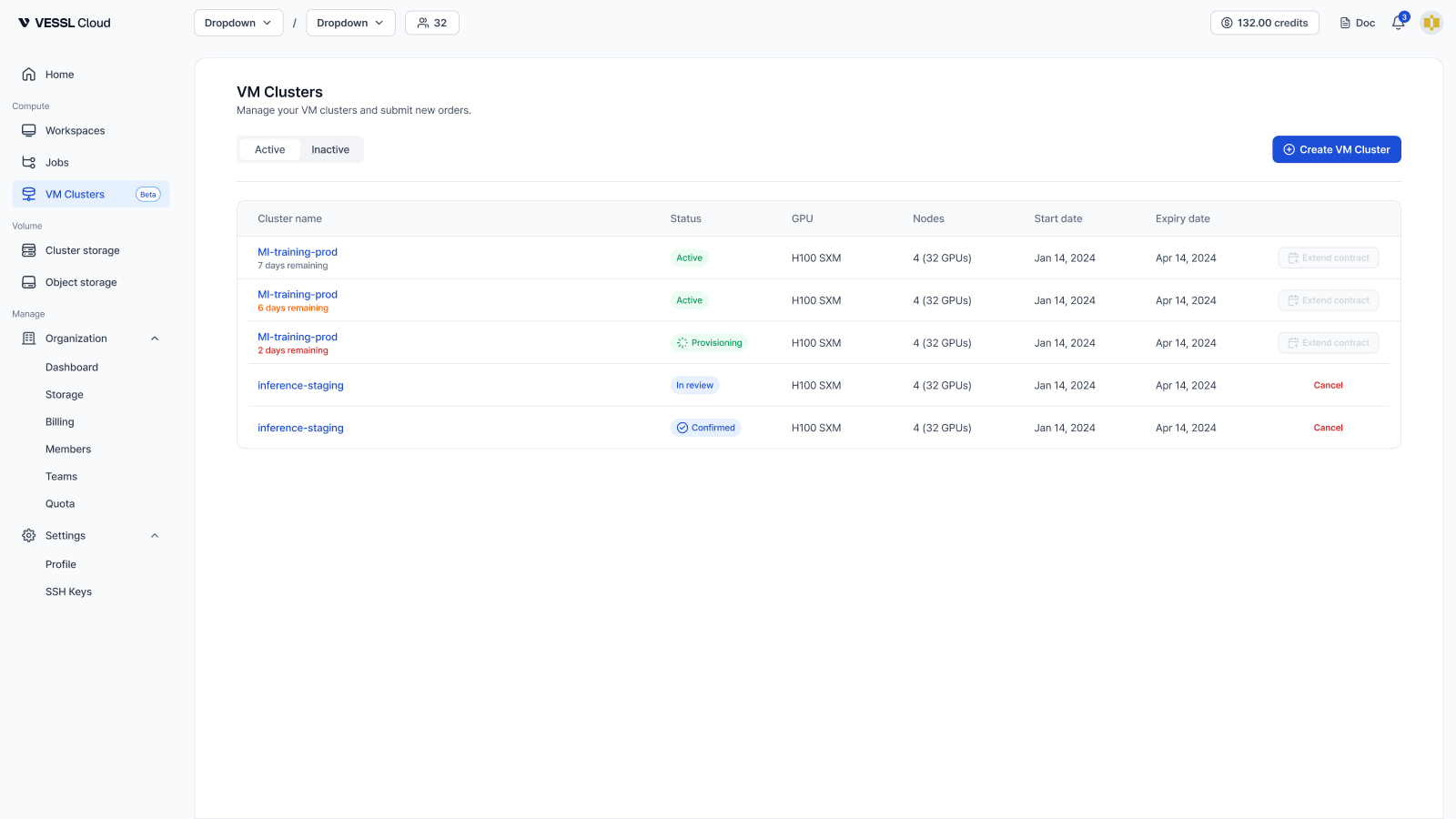
With **VM Clusters** (also called VMaaS, short for VM as a Service), you rent a dedicated cluster of high-performance GPU nodes — 1–8 nodes with 8 GPUs each — and get full root access on every node, with no other customers sharing your hardware. H100 clusters are self-service from the dashboard; for 9+ nodes or other GPUs (H200, B200, GB200, B300, GB300), [talk to sales](https://vessl.ai/en/talk-to-sales?utm_source=docs\&utm_medium=referral\&utm_campaign=vm_clusters_en\&utm_content=changelog).
#### Key updates
* **Multi-node clusters with InfiniBand**: Rent 1–8 nodes (8–64 GPUs) with InfiniBand provisioned between nodes by default for distributed training. See [Understand VM Clusters](/vm-clusters/overview).
* **Self-service ordering**: Order an H100 SXM cluster from the dashboard with an SSH key and billing information, then track it from review to active on the **VM Clusters** page. Orders are placed at the organization level by **Admin** members. See [Order a VM cluster](/vm-clusters/order).
* **Full root access, near bare-metal performance**: Each VM gets its GPUs directly using GPU passthrough and ships as Ubuntu 24.04 with CUDA preinstalled. Swap drivers, load kernel modules, and bring your own stack — Slurm, Kubernetes, or security agents.
* **NFS shared storage**: Attach an optional 1–200 TiB shared filesystem mounted across every node. Boot disks are not durable, so keep datasets and checkpoints here. See [Use NFS storage](/vm-clusters/nfs-storage).
* **Health checks and metrics**: A per-node health verdict with GPU, InfiniBand, and ECC checks, plus time-series GPU and system charts, refreshed every minute. Manage inbound access with [firewall rules](/vm-clusters/firewall-rules) and [reboot a node](/vm-clusters/reboot) yourself. See [Health checks](/vm-clusters/health-checks) and [Metrics](/vm-clusters/metrics).
* **Contracts and data retention**: Contracts run 4–52 weeks. When a contract expires, boot disks and NFS storage are permanently deleted, so back up or [extend the contract](/vm-clusters/extend-contract) before the end date. See [Plan for data retention](/vm-clusters/data-retention).
If you're deciding between a workspace and a VM cluster, see [Compare with Workspace](/vm-clusters/vs-workspace).
### **Secrets**
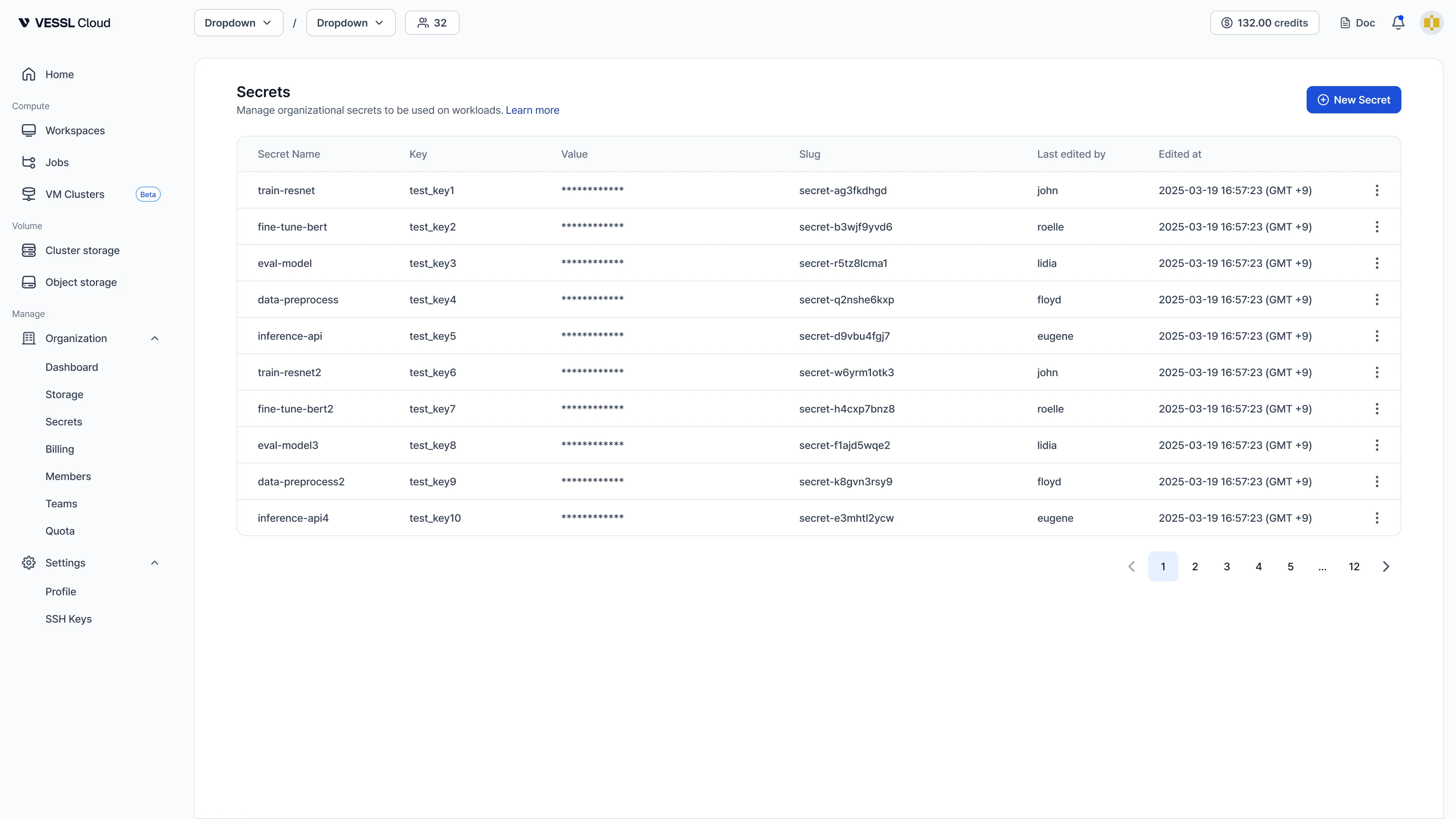
Store API tokens, database URLs, and other sensitive strings as encrypted, organization-scoped credentials, and inject them into batch jobs as environment variables. Values are sealed on your machine with the organization's public key (libsodium sealed-box) before they leave the browser or CLI, so VESSL Cloud stores only ciphertext.
#### Key updates
* **Encrypted, org-scoped credentials**: Create a secret once and reference it from any batch job in the organization. Plaintext values are sealed client-side and stored only as ciphertext, never exposed in request bodies, access logs, or to other members. See [Manage secrets](/admin/secrets/overview).
* **GUI and CLI workflows**: Manage secrets from the **Organization > Secrets** page or with `vesslctl secret create | list | update | delete`. The CLI supports interactive masked prompts, `--from-env`, and `--from-stdin` so plaintext never appears in your shell history.
* **Job injection with `--secret`**: Attach secrets to a batch job with `vesslctl job create ... --secret HF_TOKEN`, or remap to a different env var with `--secret KEY=NAME`. The job-create form exposes the same controls. See [Use a secret in a job](/admin/secrets/overview#use-a-secret-in-a-job).
* **Organization admin only**: Only **Organization admin** users can create, update, or delete secrets — anyone in the organization can reference them by name when running a batch job.
* **Workspaces on the roadmap**: Secrets ship for batch jobs today; Workspace support is planned for a follow-up release.
### **Region replaces Cluster in GPU selection**
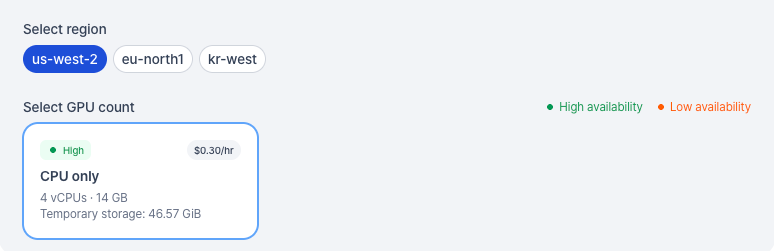
GPU options are now grouped by region instead of internal cluster names. Pick a region (for example, `us-west-2`, `eu-north1`, `kr-west`), then pick the GPU count and tier. Workspace and job views — including the compute spec card, cluster storage screens, and the volume picker — now show **Region** wherever they used to show **Cluster**.
#### Key updates
* **Region-first GPU picker**: Pick a region first, then a GPU count and tier. The flow is shorter than scrolling through a flat list of cluster-and-GPU combinations.
* **Region everywhere**: Workspace and job details, the compute spec card, cluster storage screens, and the volume picker all show **Region** instead of the internal cluster name.
* **Same hardware, clearer label**: The underlying resources are unchanged — only how they're surfaced in the UI.
### **Storage pricing & policy update — effective Jul 1, 2026**
On **2026-07-01 at 09:00 UTC**, two storage changes take effect:
* **Object storage** moves from free preview to paid usage at **\$0.03/GiB/month** (\$0.001/GiB/day, billed daily pay-as-you-go).
* **Cluster storage** keeps the same **\$0.20/GiB/month** rate, but billing switches from **provisioned capacity** (monthly) to **actual usage** (daily, pay-as-you-go) — you no longer need to pre-provision exact capacity.
If your credits run out, storage data is retained for up to **30 days** while access is restricted, then deleted. Back up important data before your balance reaches zero.
See [Storage pricing](/pricing/storage) and the [FAQ](/pricing/storage#faq) for full details.
### **Convert a workspace to a Job**
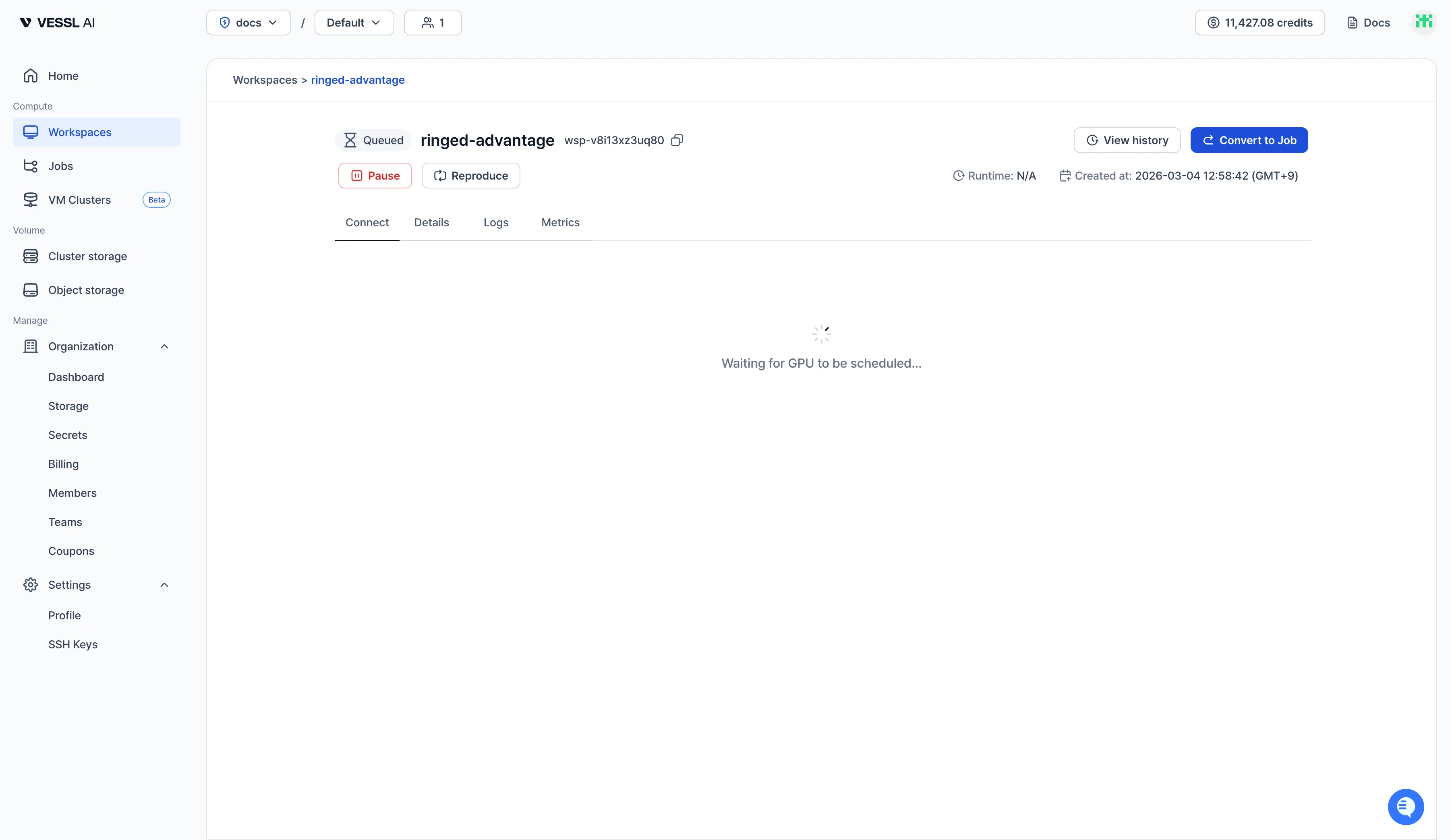
Workspace detail pages now have a **Convert to Job** button. It clones the workspace's runtime — image, resource spec, and mounted volumes — into a Job and drops the interactive pieces a Job doesn't use (SSH keys, custom ports, init script, root volume). You add the command and any env vars or secrets, then submit. The original workspace stays exactly as it was.
#### Key updates
* **One-click clone**: Click **Convert to Job** on the workspace detail page to pre-fill image, resource spec, and volumes for a new Job. Pick a command and submit.
* **What carries over**: Container image, resource spec, and mounted Object and Cluster volumes. SSH keys, custom ports, init script, and the root volume are dropped since Jobs run to completion.
* **Overridable before submit**: Swap the resource spec, image, or volumes for the run if you need a different runtime.
* **Source workspace untouched**: The workspace stays exactly as it was — keep iterating in it while the Job runs. See [Convert a workspace to a Job](/member/workspace/convert-to-job).
### **More visibility into paused workspaces**
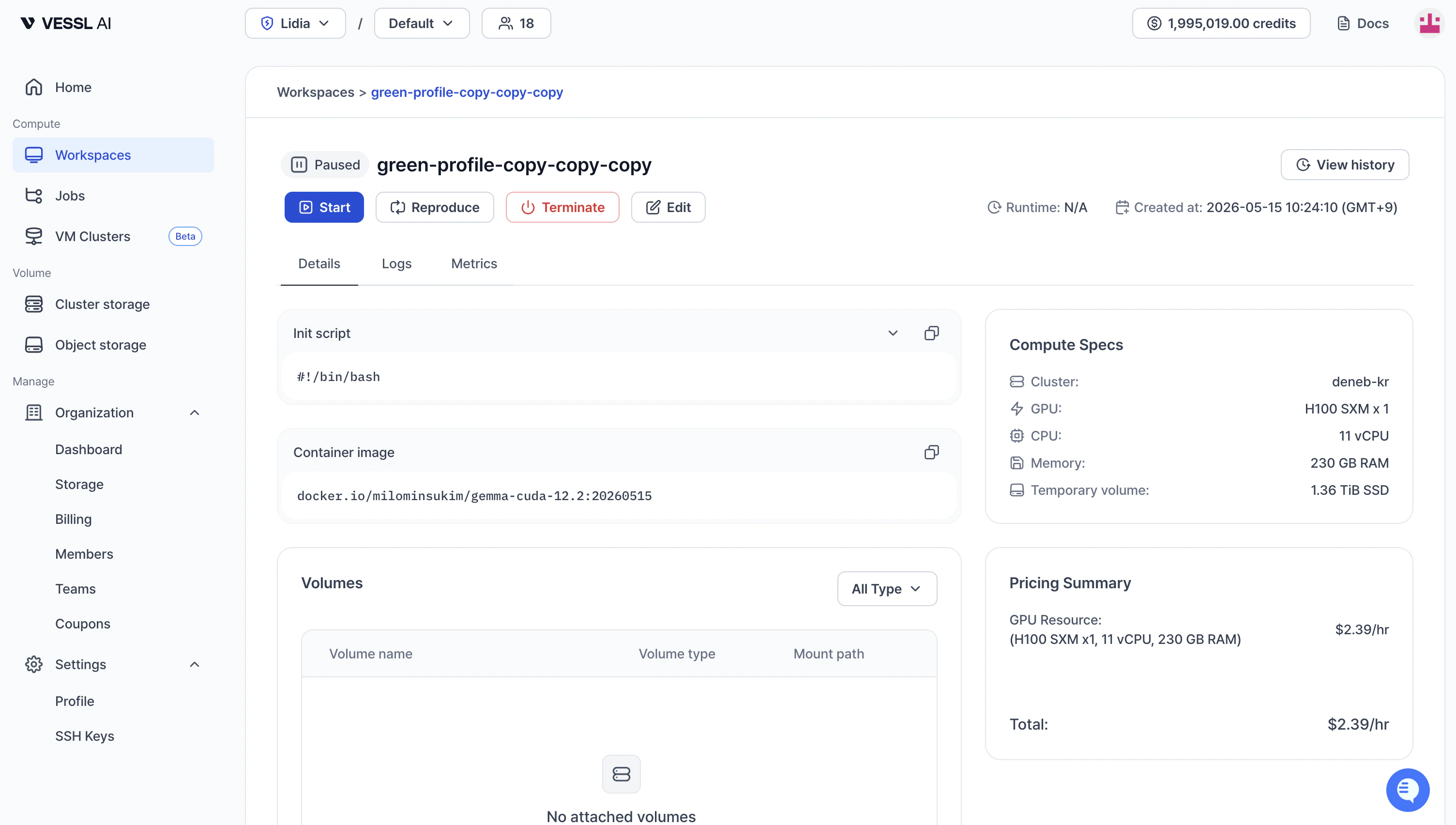
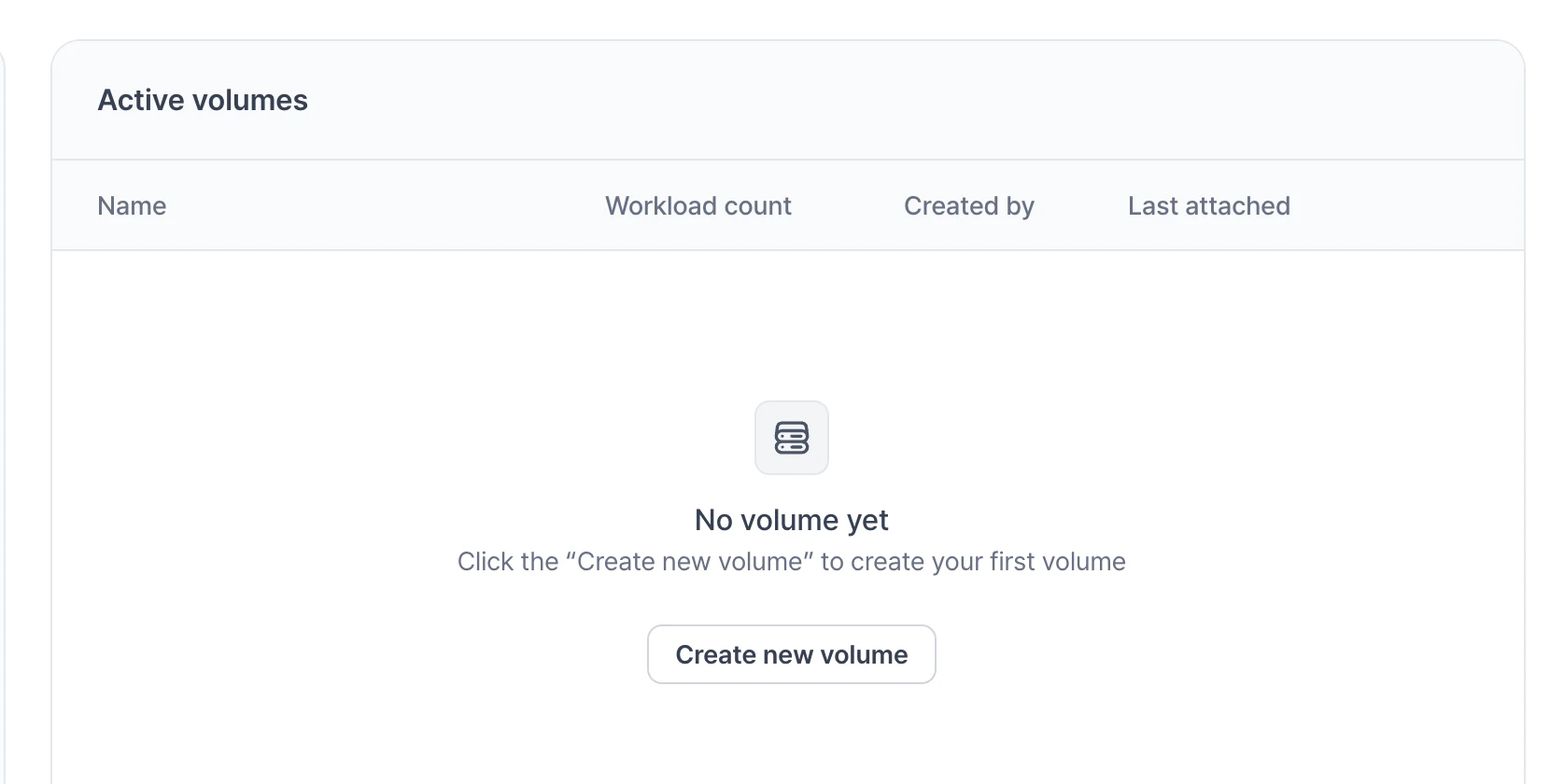
Paused workspaces now show the same level of detail as running ones — init script, container image, mounted volumes, compute specs, pricing summary, and the **Metrics** tab are all visible. The **Active volumes** list also gains new columns so you can see at a glance which volumes are in use and who created them.
#### Key updates
* **Full workspace details while paused**: Init script, container image, mounted volumes, compute specs, and pricing summary all stay visible after you pause a workspace, so you can verify configuration before resuming.
* **Metrics tab in paused state**: The **Metrics** tab remains available on paused workspaces, so you can review the most recent run's CPU, memory, and GPU utilization without restarting.
* **New columns on Active volumes**: The **Active volumes** list now shows **Workload count**, **Created by**, and **Last attached** alongside each volume so you can spot unused volumes and trace ownership at a glance.
### **April 30, 2026 release**
This release lets you run `vesslctl` directly inside running workspaces, manage SSH keys and custom ports without leaving the terminal, and tag batch jobs with custom labels. We also shipped a stack of reliability fixes.
#### Key updates
* **vesslctl inside running workspaces**: Run any `vesslctl` command from a JupyterLab terminal or SSH session in a running workspace, with no re-auth step. See [Run vesslctl inside a running workspace](/cli/commands/workspace#ssh).
* **SSH keys and custom ports from the CLI**: `vesslctl workspace create` now accepts `--ssh-key` and `--port` flags, and a new [`vesslctl ssh-key`](/cli/commands/ssh-key) command tree lets you list, add, and delete keys from the terminal.
* **Slug column in `workspace list`**: `vesslctl workspace list` shows the slug as the first column so you can copy it straight into other commands.
* **Tag jobs with custom labels**: Add or remove tags inline from the **Jobs** list and job details, and filter the list by tag. See [List batch jobs](/member/job/list).
* **Job metrics on the home dashboard**: The summary card now reports active job counts and GPU usage alongside workspaces, with idle detection covering both workload types.
* **Cleaner job lifecycle**: `vesslctl job terminate` now stops the run while preserving its configuration, logs, and metrics for review. See [Clean up jobs](/member/job/cleanup).
* **Smoother onboarding**: The workspace creation page is now accessible without credits (submission is still gated), and the organization creation page has been redesigned for a clearer flow.
* **Reliability fixes**: Admin invitations to brand-new users no longer disappear, organization creation errors now surface in the UI, and Object storage uploads larger than 5 GiB no longer get corrupted.
### **Batch jobs**
Submit batch training and inference jobs from the CLI, then monitor and manage them on VESSL Cloud. Jobs run a command to completion on the cluster and resource spec you choose, with logs, metrics, and termination reasons surfaced in the UI.
#### Key updates
* **Submit using the CLI**: Submit a batch job in one line with `vesslctl job create`. Monitor status and logs from the **Jobs** section in the console.
* **Image, command, and environment**: Bring your own container image, specify the command to run, and pass environment variables (such as `WANDB_API_KEY`) for experiment tracking.
* **Volume mounting**: Mount object volumes and cluster volumes by slug to share datasets, checkpoints, and artifacts with your jobs.
* **Lifecycle visibility**: Track state transitions from queued through running to completed or terminated, and review termination reasons for failures.
* **Tags**: Attach tags to jobs to keep them organized and filterable.
### **vesslctl CLI documentation**
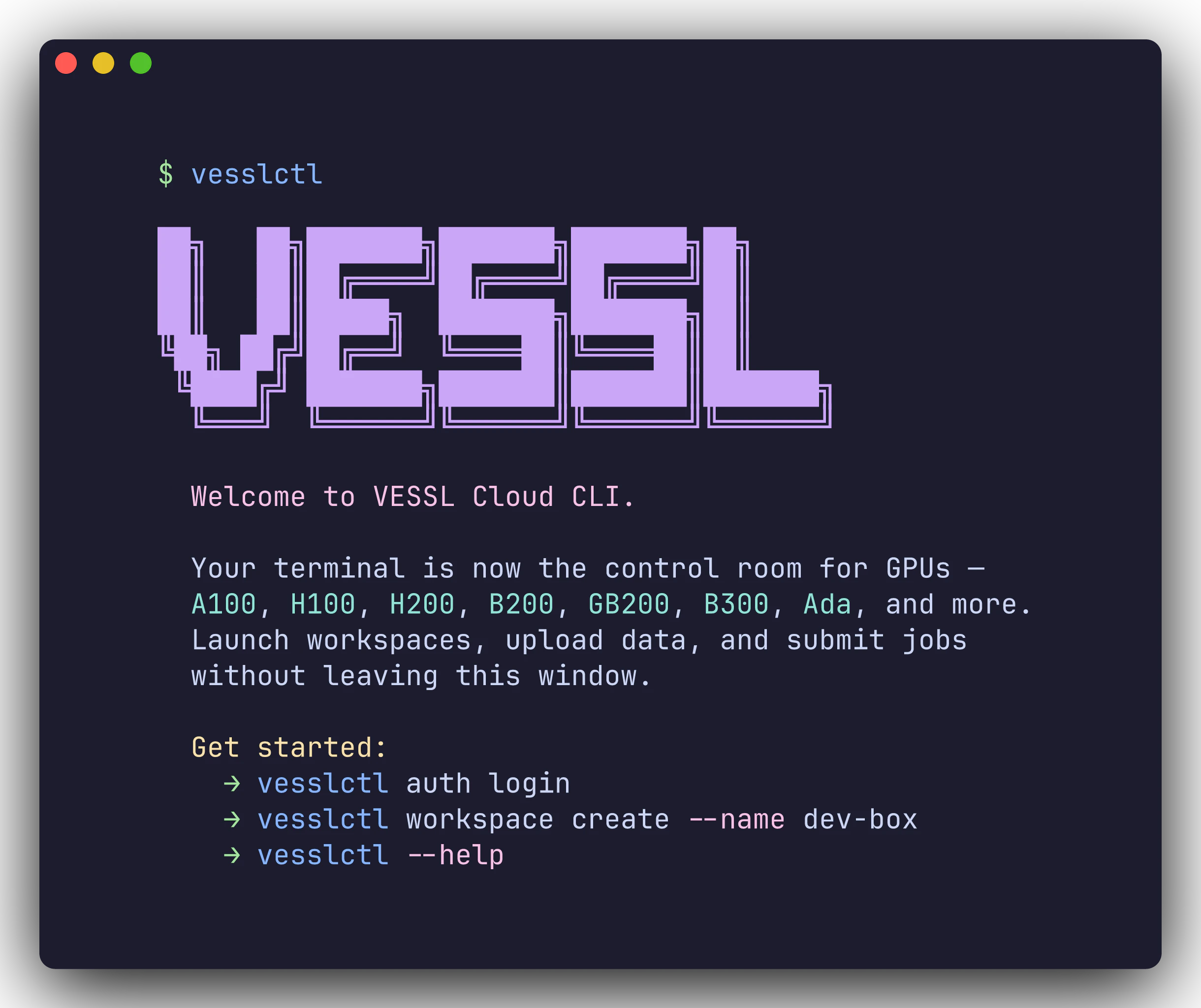
We've published comprehensive documentation for `vesslctl`, the VESSL Cloud command-line tool. You can now manage workspaces, batch jobs, storage, and team settings entirely from your terminal.
#### Key updates
* **Installation guide**: One-command install, browser-based OAuth login, and shell completion setup. See [CLI overview](/cli/overview).
* **CLI quickstart**: Three step-by-step scenarios covering workspace creation, dataset upload, and batch job submission. See [CLI quickstart](/cli/quickstart).
* **Command reference**: Detailed documentation for every command and flag, including `workspace`, `job`, `volume`, `storage`, `org`, `team`, `cluster`, `config`, and `auth`. See [Command reference](/cli/commands/workspace).
* **Cheat sheet**: A single-page quick reference for all commands. See [Cheat sheet](/cli/cheatsheet).
### **New resource spec selection**
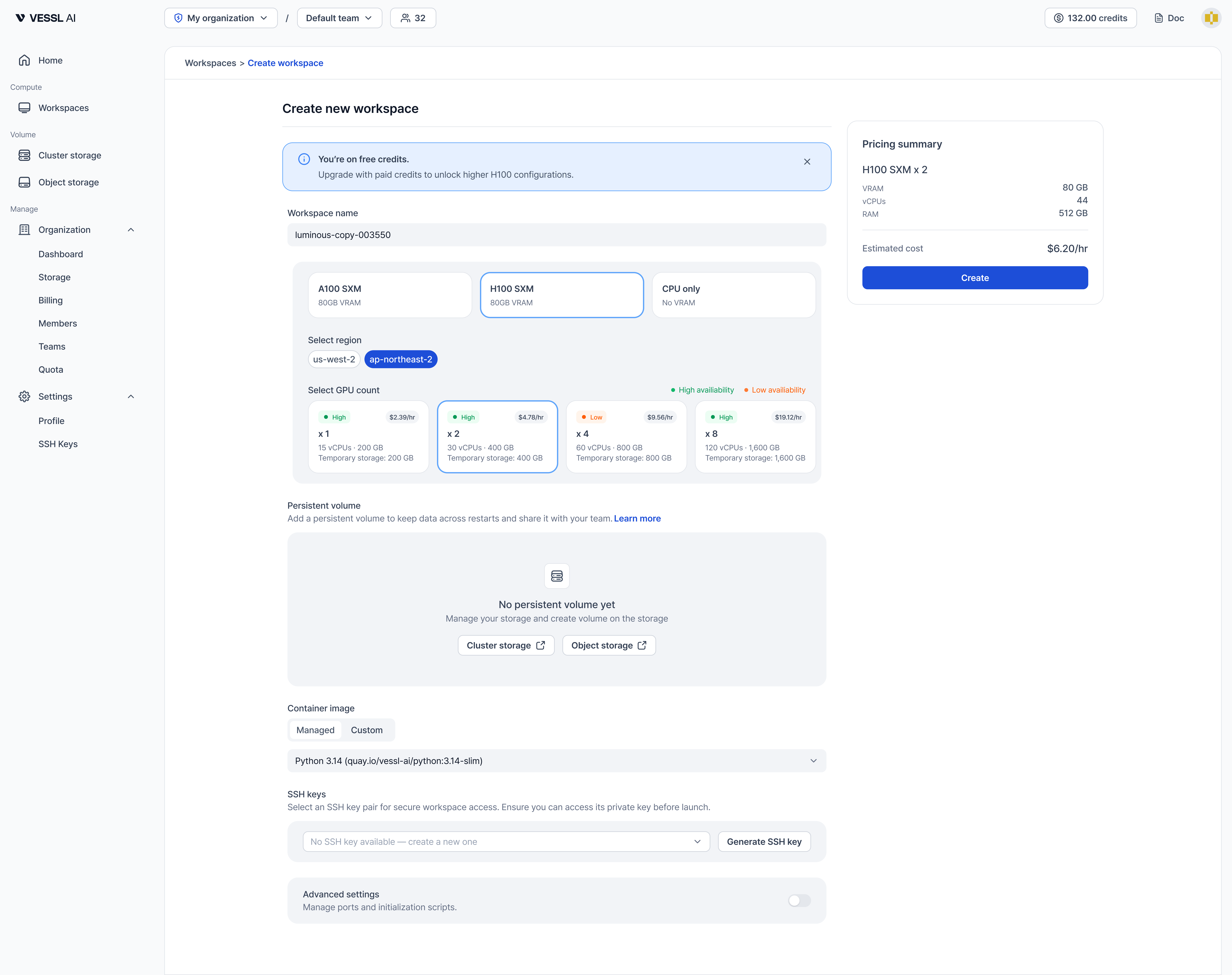
Choosing hardware for your workspace is now simpler. Instead of scrolling through a flat list of spec cards, you select your resource in three clear steps: GPU product, region, and GPU count.
#### Key updates
* **Step-by-step selection**: Pick a GPU product (such as A100 SXM, H100 SXM, or CPU only), then choose a region, and finally select how many GPUs you need.
* **Region-based selection**: Resources are now organized by region instead of cluster name, making it easier to understand where your workspace will run.
* **Availability at a glance**: Each GPU count card shows availability (High or Low) along with hourly cost, vCPU, RAM, and Temporary storage details.
See [Create a workspace](/member/workspace/create) for the full walkthrough.
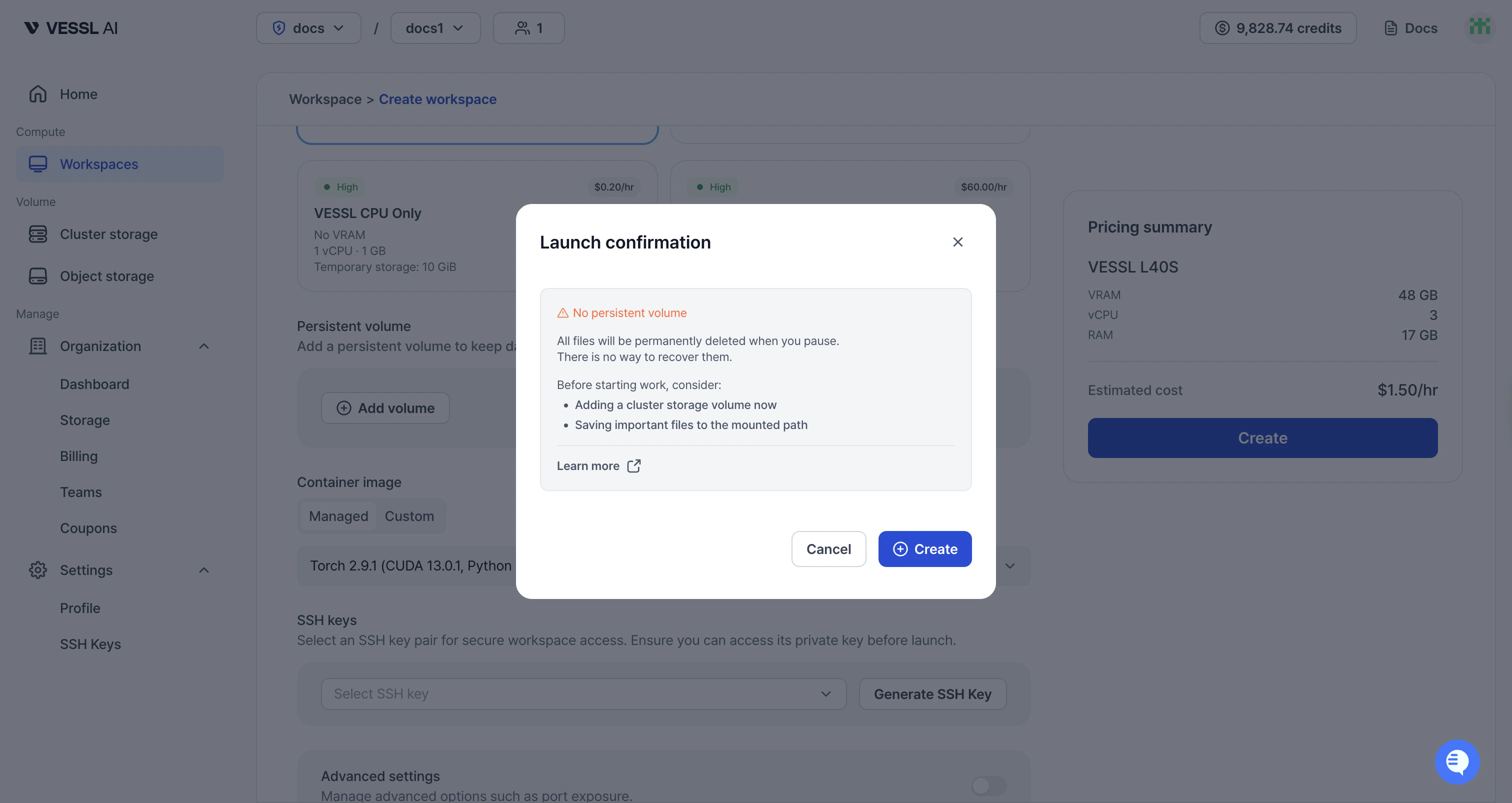
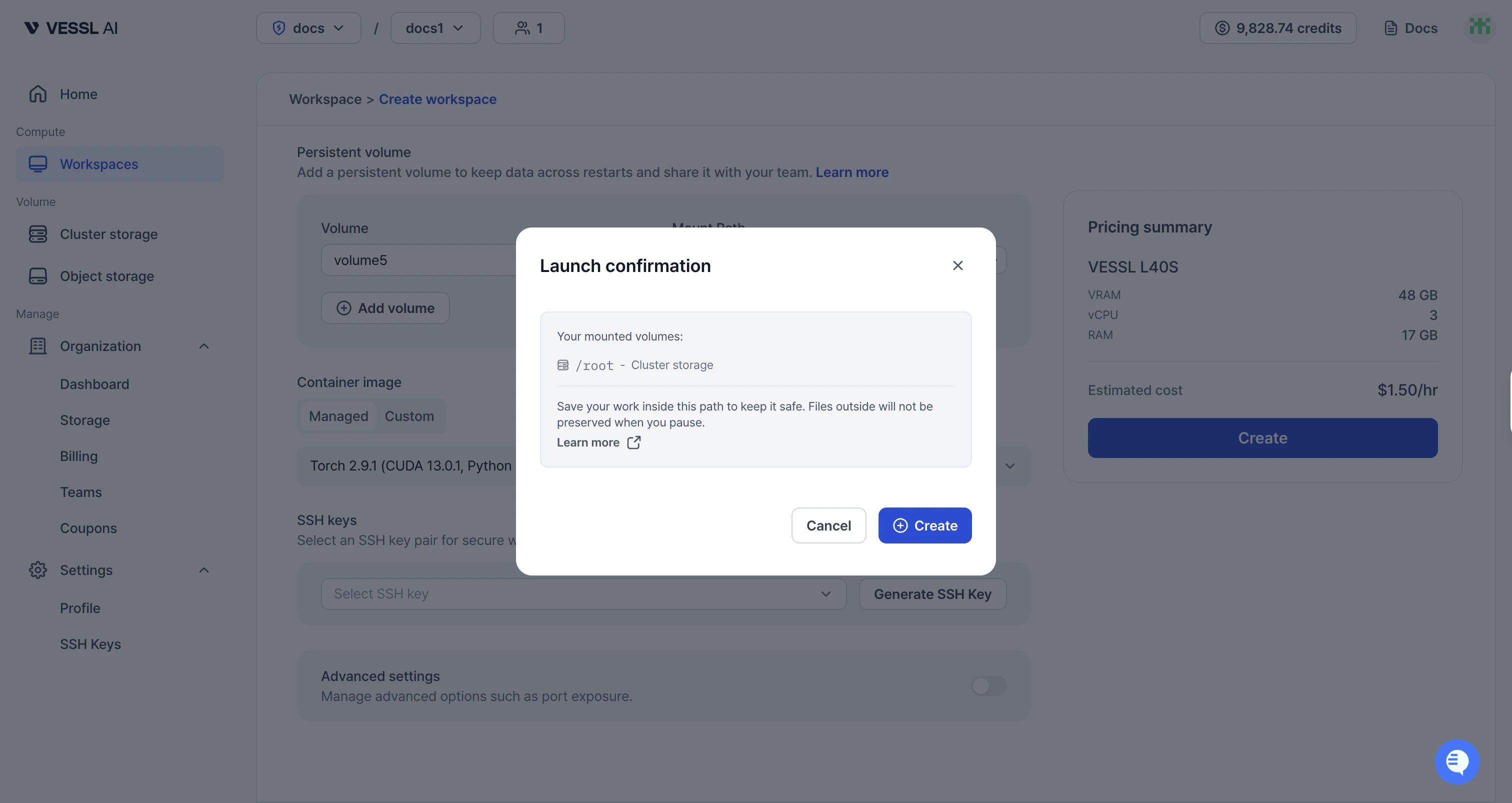
### **Launch confirmation modal**
When creating a workspace, a confirmation modal now appears to help you understand how persistent storage affects your data.
* **No persistent volume**: If no volume is attached, the modal warns that all files will be permanently deleted when you pause. It suggests adding a Cluster storage volume and saving important files to the mounted path.
* **With persistent volume**: If a volume is mounted, the modal shows the mounted path and explains that files inside will be preserved on pause, while files outside will not.

### **Dashboard, GPU availability, and workspace metrics**
VESSL Cloud now provides dedicated dashboards for individual users and organization admins, plus a new GPU availability indicator during workspace creation.
#### Key updates
* **Home dashboard**: View your active workloads, GPU utilization, and spend rate across all teams. Under-utilization alerts help you optimize resource usage. See [Home dashboard](/member/dashboard/overview).
* **Organization dashboard**: Monitor organization-wide GPU utilization, spend trends, team breakdown with drill-down, and idle workload detection. See [Organization dashboard](/admin/dashboard/overview).
* **GPU availability indicator**: Each resource spec card now shows availability level (High, Low, or Checking) when creating a workspace, helping you anticipate wait times. See [Create a workspace](/member/workspace/create).
* **Enhanced workspace metrics**: Track VRAM usage and GPU temperature alongside existing metrics. New time range selector (1h–7d) and display settings for flexible monitoring. See [Monitor metrics](/member/workspace/metrics).
### **New storage system**
We've restructured VESSL Cloud's storage to give you faster, more reliable options.
#### Key updates
* **Workspace volume → Cluster storage**: High-availability distributed storage (CephFS/NVMe) shared across workspaces in the same cluster. Data persists even after workspace termination.
* **Shared volume → Object storage**: Same S3-backed storage, now called Object storage. No functional changes.
* **Data persists after terminate**: Your code, virtualenvs, and data survive workspace termination.
* **Shared within cluster**: Multiple workspaces on the same cluster can mount the same volume (RWX).
* **High-availability**: Distributed storage protects against node failures.
* **Pricing**: Cluster storage at \$0.20/GiB/month.
* **Migration**: Existing Workspace volume data can be migrated to Cluster storage. Contact [support@vessl.ai](mailto:support@vessl.ai) for assistance.
See [Understand storage](/member/volume/overview) for details.
### **Simpler SSH key downloads**
Previously, generating an SSH key opened a file picker dialog, letting you choose where to save the key. This often led to forgetting the save location when connecting later. Now, SSH keys download directly to your `~/Downloads` folder, and the SSH connection guide shows the expected key path.
#### Key updates
* **Direct download to \~/Downloads**: SSH keys now download automatically to your default download folder instead of opening a file picker.
* **Key path hint in SSH connection guide**: The SSH connection tab now shows "usually in `~/Downloads`" so you know where to find your key.
### **Better navigation and team collaboration**
We've unified the admin menu structure and added visibility into your team's workspaces and members.
#### Key updates
* **Unified admin menu**: The admin menu is now integrated into the main navigation, making it easier to find and access admin features.
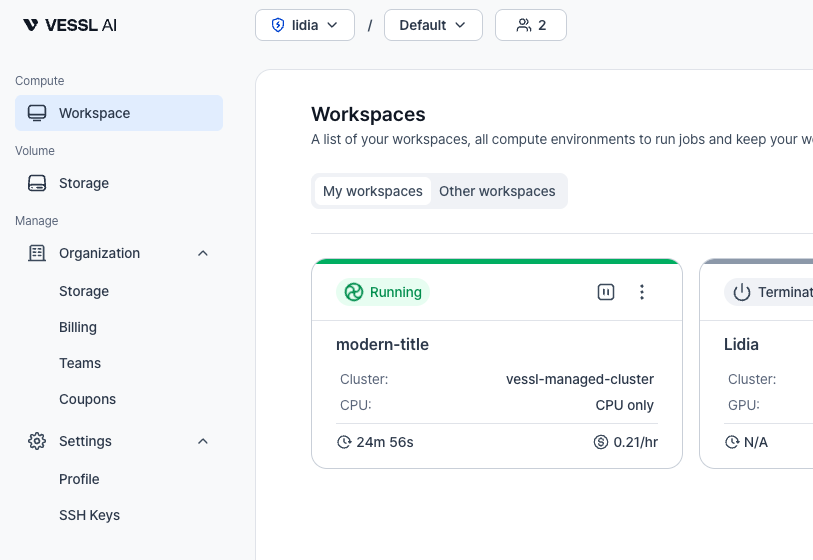
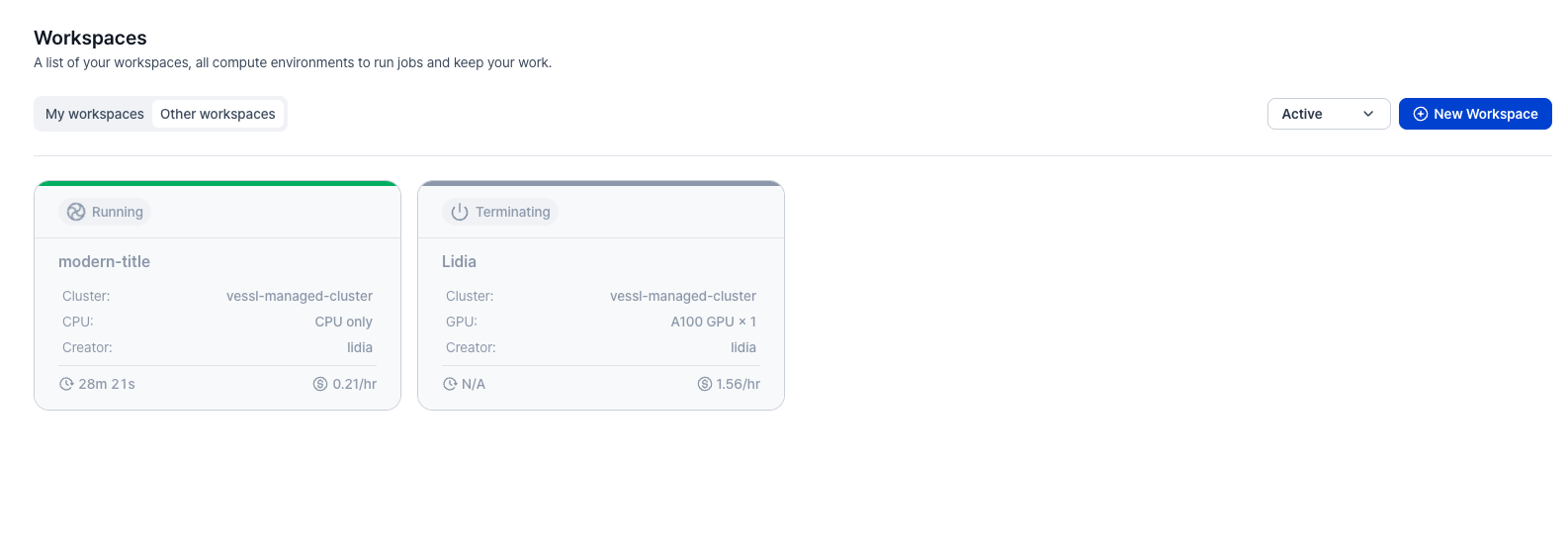
* **View other team members' workspaces**: Previously, you could only view your own workspaces. Now you can see workspaces belonging to your team members and track which team member is working on which workspace.
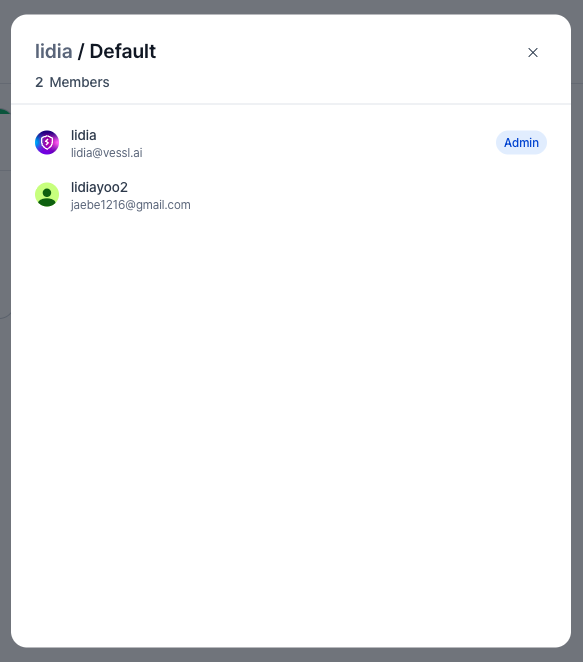
* **Team member visibility in top bar**: View who's on your team directly from the top bar. See who you're collaborating with at a glance.
### **Teams & Members role management**
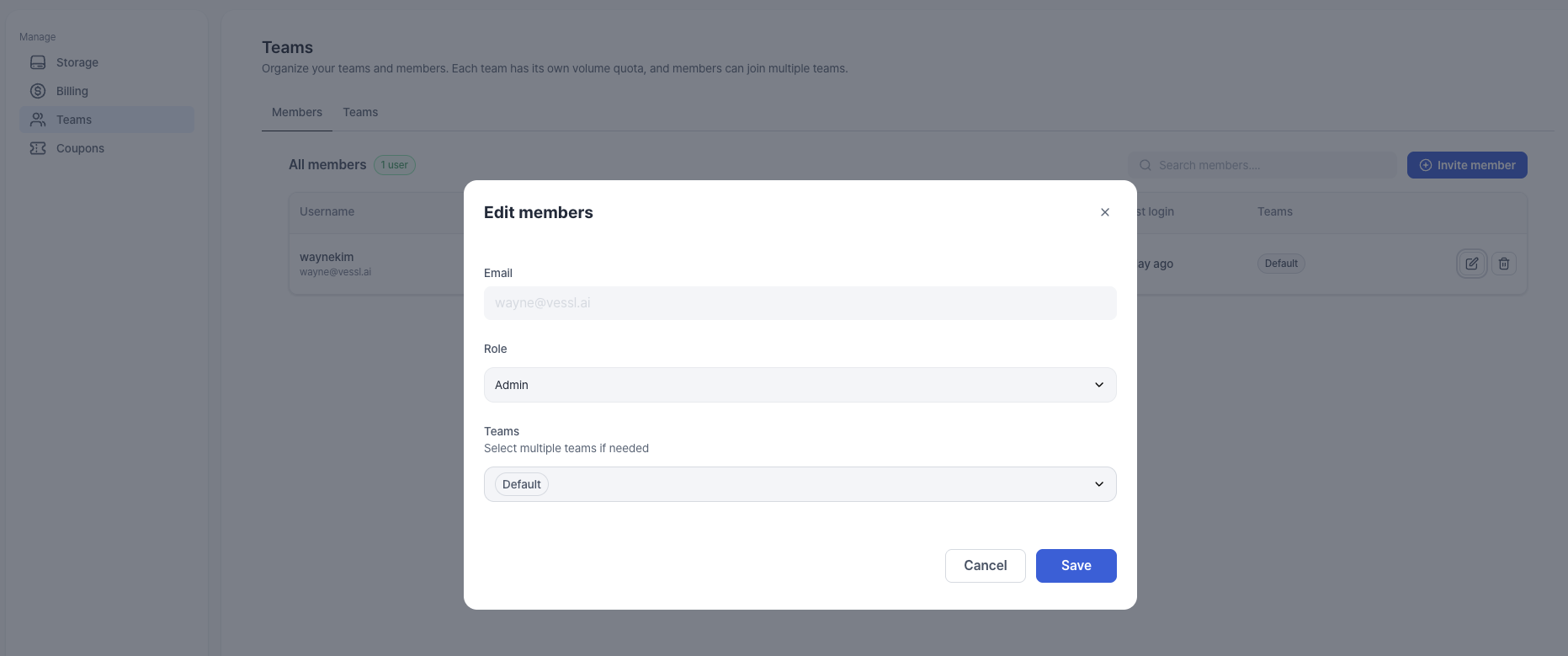
Members list now shows each member's role, and admins can update roles between Admin and Member.
#### Key updates
* **Role column on members list**: View each member's role (Admin/Member) directly in the list.
* **Admins can edit roles**: Admins can change a member's role from the Edit action (Admin ↔ Member).
* **Multiple admins supported**: Assign multiple Admins when your team needs it.
### **Safer workspace creation when credits run out**
We've tightened how workspace creation behaves when you have no credits, so you don't end up with workspaces that start and immediately terminate.
#### Key updates
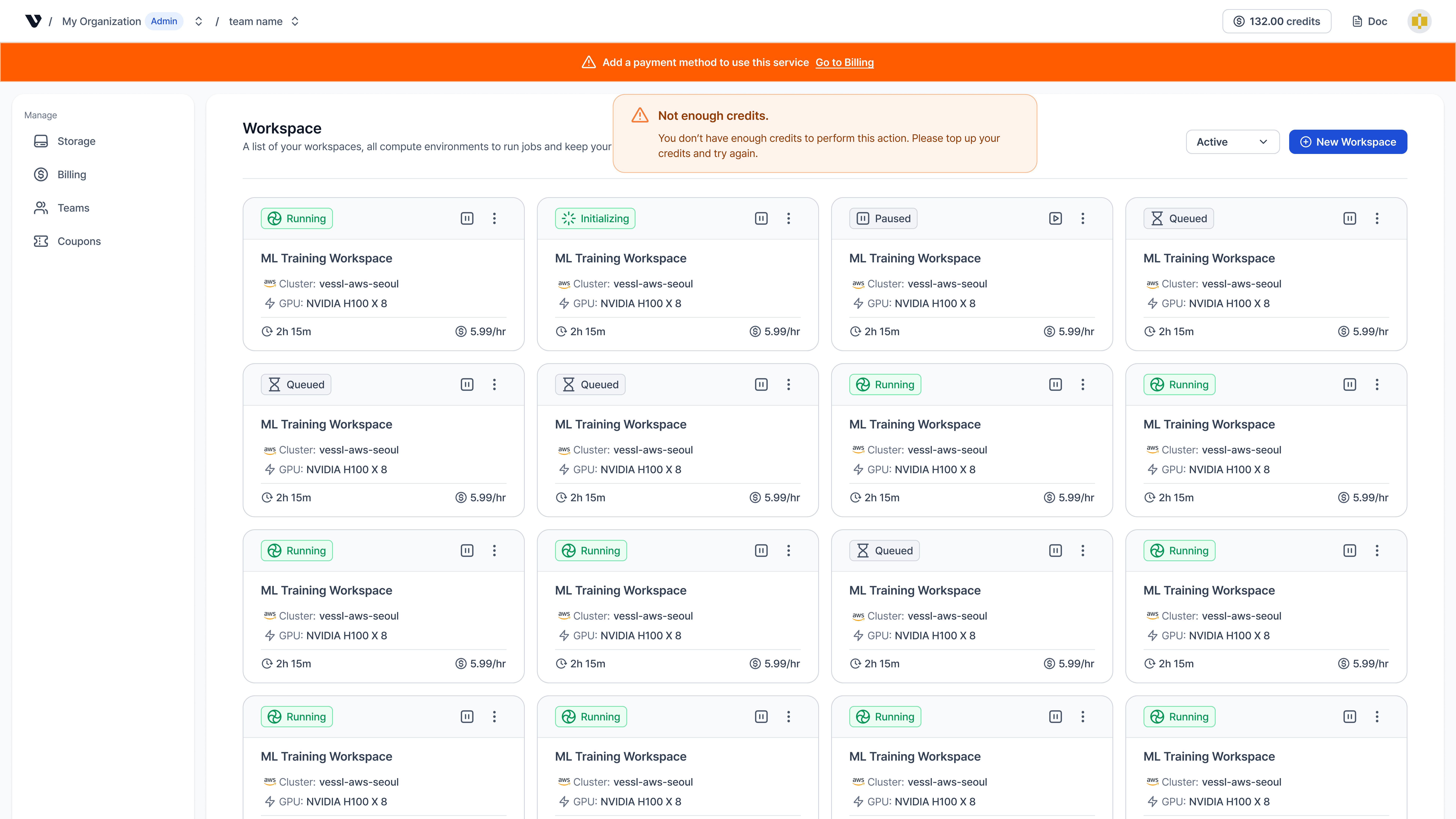
* **Credit validation for workspace creation**: Previously, workspaces could start and then immediately terminate when you had no credits. Now, if you have no credits, workspace creation is blocked and a toast notification prompts you to purchase or add credits before starting.
* **Payment method registration banner**: Previously, there was no clear signal when you didn’t have a registered payment method. Now, if you have no payment method and no credits, a banner appears prompting you to register a payment method. Admins can register a payment method directly from the banner.
### **Better workspace history**
These updates were previously listed in Coming Soon and are now available, along with a storage mount path update.
Use the demo below to see how to open **Event history** in the workspace details page and review the event timeline.
Also use the demo below to see how to review terminated workspaces with **View Terminated** and delete them manually when you're ready.
#### Key updates
* **Event feed**:
* **Event history**: View a complete timeline of workspace events directly on the **Details** page. Track key lifecycle events and states, including **Running**, image pulling, and termination reasons such as Out of Memory Killed (OOMKilled), credit exhaustion, or Temporary storage exceeded.
* **Terminated workspace view**: Terminated workspaces are no longer auto-deleted after 24 hours. Use the **View Terminated** toggle to access their history and delete them manually when ready.
* **Workspace volume mount path**: Workspace volume mount path is fixed to `/root` (`$HOME`) and cannot be changed.
### **Updated GPU images**
We've added refreshed CUDA and Torch images for broader Python coverage.
#### Key updates
* **CUDA 13.0.1 images**:
* `quay.io/vessl-ai/cuda:13.0.1-py3.10-slim`
* `quay.io/vessl-ai/cuda:13.0.1-py3.11-slim`
* `quay.io/vessl-ai/cuda:13.0.1-py3.12-slim`
* `quay.io/vessl-ai/cuda:13.0.1-py3.13-slim`
* **Torch 2.9.1 (CUDA 13.0.1) images**:
* `quay.io/vessl-ai/torch:2.9.1-cuda13.0.1-py3.10-slim`
* `quay.io/vessl-ai/torch:2.9.1-cuda13.0.1-py3.11-slim`
* `quay.io/vessl-ai/torch:2.9.1-cuda13.0.1-py3.12-slim`
* `quay.io/vessl-ai/torch:2.9.1-cuda13.0.1-py3.13-slim`
### **Enhanced control, visibility, and simplicity**
We've empowered users with direct volume management, deeper workspace insights, and a simplified resource selection flow.
#### Key updates
* **User-managed volumes**: You can now create and manage shared volumes directly.
* **No admin quota needed**: Create volumes instantly without waiting for admin allocation.
* **Team sharing**: Share volumes across your team effortlessly.
* **Storage pricing update**:
* **Pay-as-you-go**: Workspace volumes are billed based on usage (\$0.0070/hr per 50GB).
* **No quota limits**: Pre-allocated quotas for shared volumes have been removed.
* **Workspace visibility**:
* **Detailed status**: Workspace states are now clearly defined: Queued, Initializing, Running, Paused, Failed, and Terminated. "Queued" shows *Waiting for GPU*, and "Initializing" shows *Downloading image*.
* **Simplified resource selection**:
* **Cluster selector removed**: No need to select a cluster first. Browse all available resource specs across clusters in a single view.
* **Unified resource view**: See every GPU and CPU option you have access to, regardless of cluster.
### **A new way to create workspaces**
We've completely redesigned the workspace creation experience to be more intuitive and powerful. The new flow guides you through essential steps while offering deeper customization options for advanced needs.
Take a quick tour of the new workspace creation flow with the demo below.
#### Key updates
* **Streamlined creation flow**: The process is now split into three clear steps:
* **Step 1 (Select resource)**: Choose your hardware specifications.
* **Step 2 (Deployment settings)**: Configure image, SSH keys, ports, and volumes.
* **Step 3 (Review)**: Review your settings and estimated cost before deploying.
* **SSH key generation**: You can now generate SSH keys directly within the workspace creation page and save them locally. Manage your keys anytime in **Settings > SSH Keys**.
* **Custom port opening**: Open specific custom ports during creation to perfectly replicate your local environment. Verify connection details in the **Detail > Connect** page.
### **Introducing VESSL Cloud**
We're launching **VESSL Cloud**, a dedicated service designed to streamline the research workflow with clearer billing and an optimized developer experience.
#### Key updates
* **GPUaaS**: On-demand access to GPU instances. Select the exact specs you need and pay only for what you use.
* **Enhanced Workspace**: Launch Jupyter or SSH environments in clicks.
* Select your preferred container image.
* Monitor logs and resource metrics in real-time.
* Easily stop or terminate instances to manage costs.