> ## Documentation Index
> Fetch the complete documentation index at: https://docs.cloud.vessl.ai/llms.txt
> Use this file to discover all available pages before exploring further.
# Understand vesslctl
> Install and configure the VESSL Cloud command-line tool.
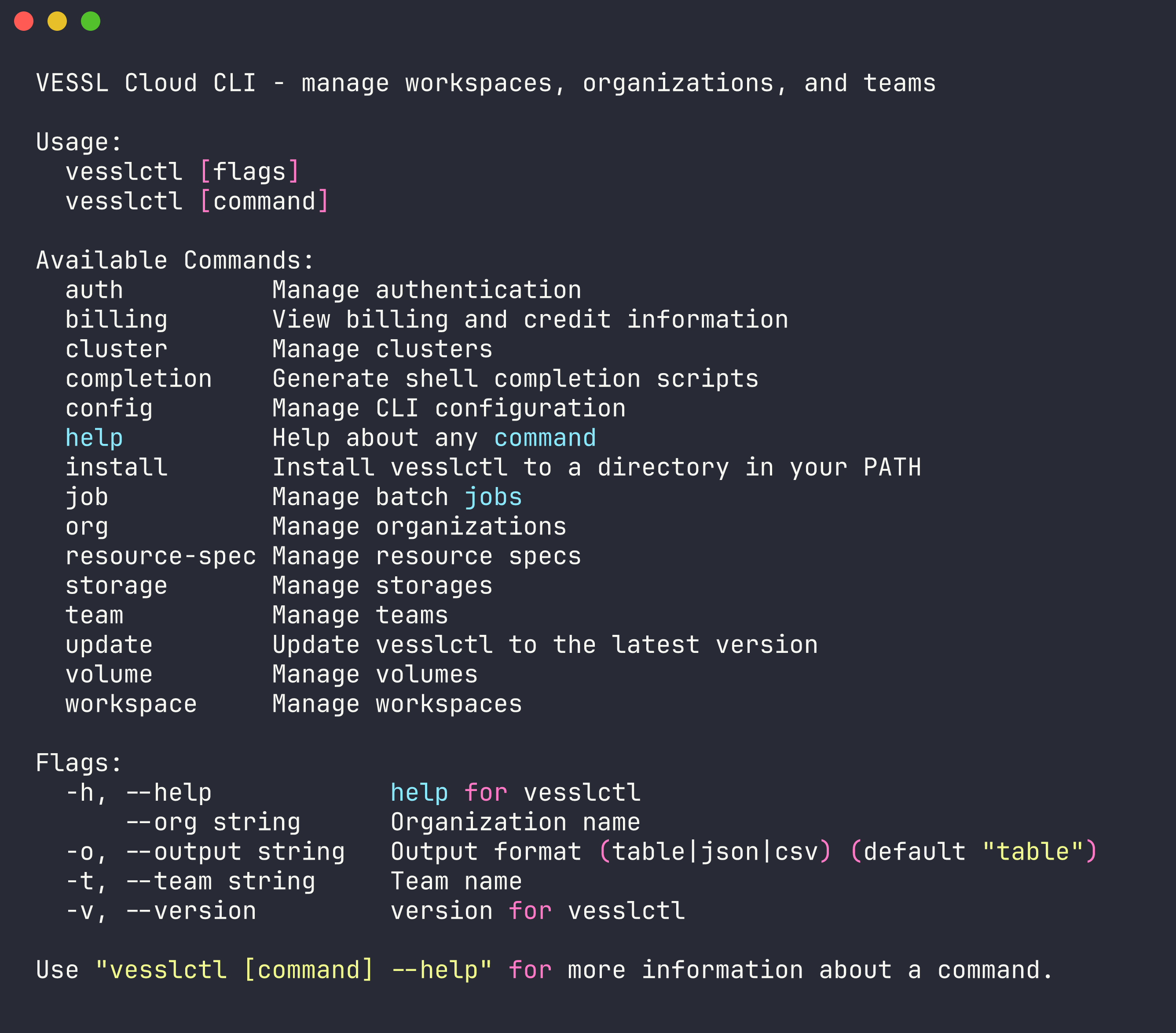
`vesslctl` is the command-line interface for VESSL Cloud. Manage workspaces, batch jobs, storage, and team settings from your terminal.
### Why `vesslctl`
* **Develop and train in one tool**: Launch interactive workspaces for development, then submit batch jobs for training, all with the same CLI
* **Built for teams**: Org and team scoping ensures workloads, volumes, and billing are isolated where they need to be
* **Flexible storage**: Choose Object storage for cross-cluster access or Cluster storage for high-performance local I/O, and mount volumes into any workload
* **AI-native**: Connect VESSL Cloud docs to Claude Code, Cursor, or any MCP-compatible tool so your AI assistant references accurate CLI documentation. See [Use with AI tools](/cli/ai-tools)
* **Scriptable**: Combine commands in shell scripts to build hyperparameter sweeps, data pipelines, or autonomous experiment loops
## Installation
**Supported platforms** — macOS 15+, Ubuntu 20.04+, or Windows 10+. No other environment dependencies.
```bash theme={null}
curl -fsSL https://api.cloud.vessl.ai/cli/install.sh | bash
```
```bash theme={null}
vesslctl auth login
```
This opens your browser for OAuth authentication. If no browser is available, the command falls back to email and password login.
```bash theme={null}
vesslctl auth status
```
## Global Flags
Every command supports these flags:
| Flag | Short | Description |
| ---------- | ----- | -------------------------------------------------- |
| `--org` | | Override the default organization |
| `--team` | `-t` | Override the default team |
| `--output` | `-o` | Output format: `table` (default), `json`, or `csv` |
## Set Defaults
After logging in, `vesslctl` prompts you to select a default organization and team. You can change them anytime:
```bash theme={null}
vesslctl config set default_org
vesslctl config set default_team
```
To view your current configuration:
```bash theme={null}
vesslctl config show
```
## Environment variables
`vesslctl` reads these environment variables. Flags take precedence over env vars, which take precedence over the config file:
| Variable | Description |
| ------------------------------ | --------------------------------------------------------------------------------------------------------------------------------------------------- |
| `VESSLCTL_ORG` | Default organization (overrides `default_org` from config) |
| `VESSLCTL_TEAM` | Default team (overrides `default_team` from config) |
| `VESSLCTL_OUTPUT` | Default output format: `table`, `json`, or `csv` |
| `VESSLCTL_API_URL` | Override the API endpoint (defaults to the production URL) |
| `VESSLCTL_ACCESS_TOKEN` | Long-lived access token. When set, `vesslctl` skips the interactive login flow. |
| `SIDECAR_INITIAL_ACCESS_TOKEN` | Auto-injected inside VESSL Cloud workspaces so you can run `vesslctl` without logging in. Used as a fallback when `VESSLCTL_ACCESS_TOKEN` is unset. |
Inside a VESSL Cloud workspace, `vesslctl` is preconfigured with `SIDECAR_INITIAL_ACCESS_TOKEN`. Run `vesslctl auth status` to confirm — you do not need to run `vesslctl auth login` from a workspace terminal.
## Shell Completion
The easiest way to enable tab completion is the `install` subcommand — it detects your shell automatically and writes the script to the right place:
```bash theme={null}
vesslctl completion install
```
The command is idempotent, so you can safely re-run it after CLI updates. For zsh, it will let you know if your `~/.zshrc` needs an `fpath` entry.
If you prefer to manage completion scripts yourself:
```bash Bash theme={null}
vesslctl completion bash > /etc/bash_completion.d/vesslctl
```
```bash Zsh theme={null}
vesslctl completion zsh > "${fpath[1]}/_vesslctl"
```
```bash Fish theme={null}
vesslctl completion fish > ~/.config/fish/completions/vesslctl.fish
```
## Update
Keep `vesslctl` up to date:
```bash theme={null}
vesslctl update
```
## Command Overview
| Command | Description |
| ----------------------------------------- | ---------------------------------------------------------------------------------------------------------------- |
| [`workspace`](/cli/commands/workspace) | Manage GPU workspaces (create, SSH, pause, terminate) |
| [`job`](/cli/commands/job) | Submit and manage batch jobs |
| [`volume`](/cli/commands/volume) | Manage storage volumes |
| [`storage`](/cli/commands/storage) | List and inspect storage backends |
| [`org`](/cli/commands/org-team) | Switch and manage organizations |
| [`team`](/cli/commands/org-team) | Switch and manage teams |
| [`cluster`](/cli/commands/cluster) | List available clusters |
| [`resource-spec`](/cli/commands/cluster) | List GPU/CPU resource configurations (alias: `rs`) |
| [`tag`](/cli/commands/tag) | Create, list, and attach tags to jobs |
| [`skill`](/cli/commands/skill) | Install vesslctl skills for AI coding agents |
| [`config`](/cli/commands/config) | Manage CLI configuration |
| [`auth`](/cli/commands/config) | Log in, log out, check auth status |
| [`billing`](/cli/commands/config) | View credit balance and burn rate |
| [`completion`](/cli/commands/completion) | Shell tab completion — `install` for auto-setup, or generate scripts manually for bash, zsh, fish, or PowerShell |
| [`update`](/cli/commands/update) | Update `vesslctl` to the latest version |
| [`install`](/cli/commands/config#install) | Install `vesslctl` to a directory in your PATH |