> ## Documentation Index
> Fetch the complete documentation index at: https://docs.cloud.vessl.ai/llms.txt
> Use this file to discover all available pages before exploring further.
# Understand PTUs and billing
> What a PTU is, how much capacity one PTU gives you per model, and how a contract is billed.
A **Provisioned Throughput Unit (PTU)** is a normalized unit of serving capacity. Every model is priced at the same rate per PTU; what differs per model is how many tokens one PTU can process per minute. When you contract, you decide how many PTUs to reserve based on your traffic.
## Billing
| | |
| ----------------- | -------------------------------- |
| **Rate** | \$0.05 per PTU per minute |
| **PTU quantity** | Arranged individually with sales |
| **Contract term** | Arranged individually with sales |
| **Billing cycle** | Monthly |
The rate is the same for every model and every workload shape. Within your contracted capacity, you're billed for the PTUs you reserve, not per token.
## Capacity per PTU
One PTU processes up to the following number of tokens per minute (TPM). Capacity is set per model and per token type: uncached input, cached input, and output.
| Model | Input (TPM) | Cached input (TPM) | Output (TPM) |
| -------------- | ----------- | ------------------ | ------------ |
| **MiniMax M3** | 166,667 | 833,333 | 41,667 |
| **GLM 5.2** | 35,714 | 192,308 | 11,364 |
These are each model's default capacity. A contract can set a different capacity per PTU, and the model page and the **Estimate total cost** calculator then use the contract's values.
## Estimate your PTUs and savings
Every model page has an **Estimate total cost** calculator. Enter your peak requests per second, cache hit rate, and average input and output tokens per request to see how many PTUs you need, the estimated monthly cost, and the estimated savings against a frontier model you pick.
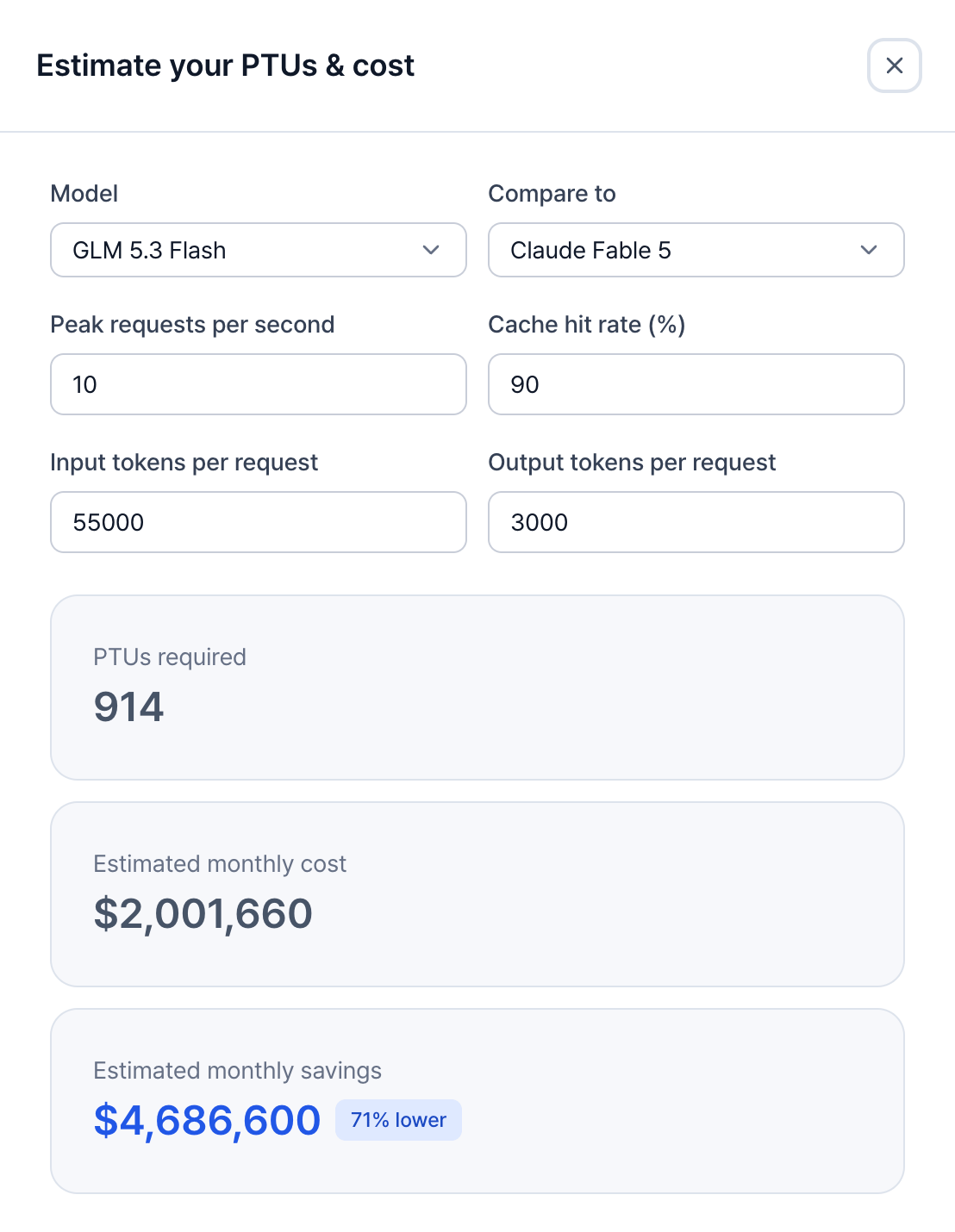 Example: the calculator's inputs and results for a sample workload
## Example
For example, 8 PTUs on MiniMax M3 give you up to:
* 1,333,336 uncached input tokens per minute, or
* 6,666,664 cached input tokens per minute, or
* 333,336 output tokens per minute.
Real traffic mixes all three, so each type uses a share of the capacity. At \$0.05 per PTU per minute, 8 PTUs cost \$576 per day. The **Estimate total cost** calculator counts a month as 730 hours, which puts the same 8 PTUs at about \$17,520 per month.
The PTU count you contract is confirmed during the proof of concept (PoC), with a benchmark on your real traffic. The calculator gives you a planning number, not a quote. See [Request Provisioned Throughput](/inference/request).
## Traffic above your capacity
The PTUs you reserve set the capacity the SLA guarantees. Traffic above that capacity falls outside the SLA. See [Understand the SLA](/inference/sla).
If you regularly run above capacity, [talk to sales](https://vessl.ai/en/talk-to-sales?utm_source=docs\&utm_medium=referral\&utm_campaign=inference_en\&utm_content=ptu_more_capacity) to add PTUs.