> ## Documentation Index
> Fetch the complete documentation index at: https://docs.cloud.vessl.ai/llms.txt
> Use this file to discover all available pages before exploring further.
# Understand storage
> Cluster storage vs Object storage and how to use them.
## VESSL Cloud storage
Workspaces come with Temporary storage that disappears when stopped. To keep your data, use **persistent storage**.
| Storage type | Description | Best for | Mount path |
| --------------------- | ------------------------------------------------------------------------------------------------------------------------------------------------- | ---------------------------------------------------------------------------- | ----------------------- |
| **Cluster storage** | High-availability distributed storage (CephFS/NVMe) shared across workspaces in the same cluster. Data persists even after workspace termination. | Code, virtualenvs (pip/conda), datasets, team collaboration within a cluster | User-configurable |
| **Object storage** | S3-backed POSIX-compatible storage accessible from any cluster in your organization | Datasets, checkpoints, large artifacts to share across clusters | `/shared` (recommended) |
| **Temporary storage** | Default ephemeral storage included in every workspace | Fast scratch space (data is **wiped** when stopped) | Varies |
## Using Cluster storage
Cluster storage provides fast, persistent storage within a cluster. Multiple workspaces on the same cluster can mount the same volume simultaneously.
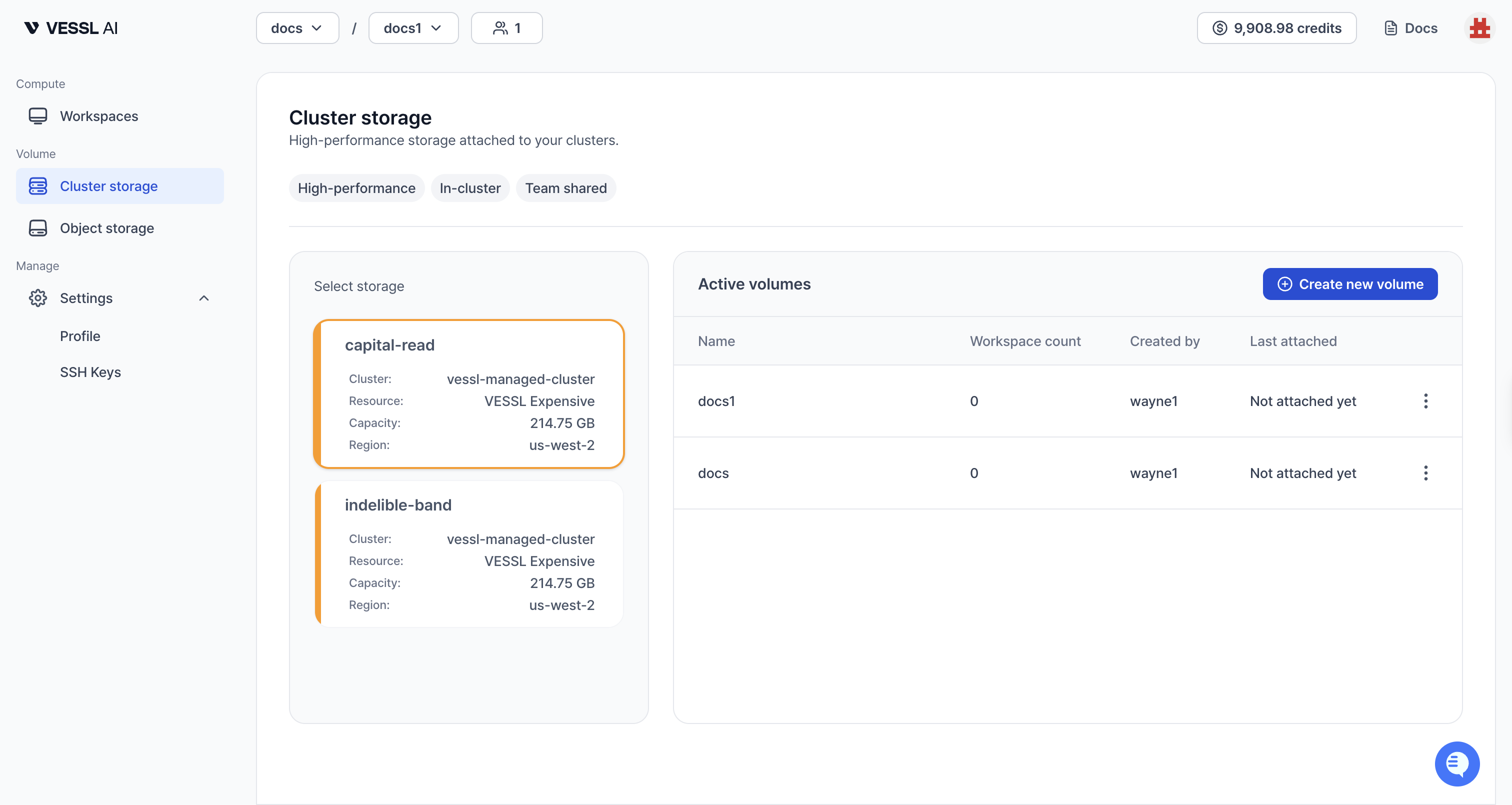 Example: Cluster storage volumes assigned to your team
### How to get started
1. **Check availability**: Go to **Cluster storage** in the sidebar to see volumes assigned to your team.
2. **Mount to a workspace**: When [creating a workspace](/member/workspace/create), select Cluster storage volumes in the **Storage** step. Choose a mount path (for example, `/root` or `/data`).
3. **Use it**: Access your files at the mount path inside the workspace. Install packages, save checkpoints, and store code — everything persists across workspace restarts and terminations.
Cluster storage volumes can only be created by organization admins. If no Cluster storage is available for your team, contact your admin to set it up. See [Manage storage (admin)](/admin/storage/overview).
### Key characteristics
* **Bound to a cluster**: Only workspaces on the same cluster can mount the volume
* **Read-Write-Many (RWX)**: Multiple workspaces can access the same volume simultaneously
* **Data persists**: Data survives workspace stop, pause, and terminate
* **\~150 MB/s throughput**: Fast enough for large dataset loading and model checkpoints
* **Pricing**: \$0.20/GiB/month, billed daily based on actual usage from 2026-07-01. See [Storage pricing](/pricing/storage) for details.
## Using Object storage
Object storage provides S3-backed storage that can be shared across any cluster in your organization.
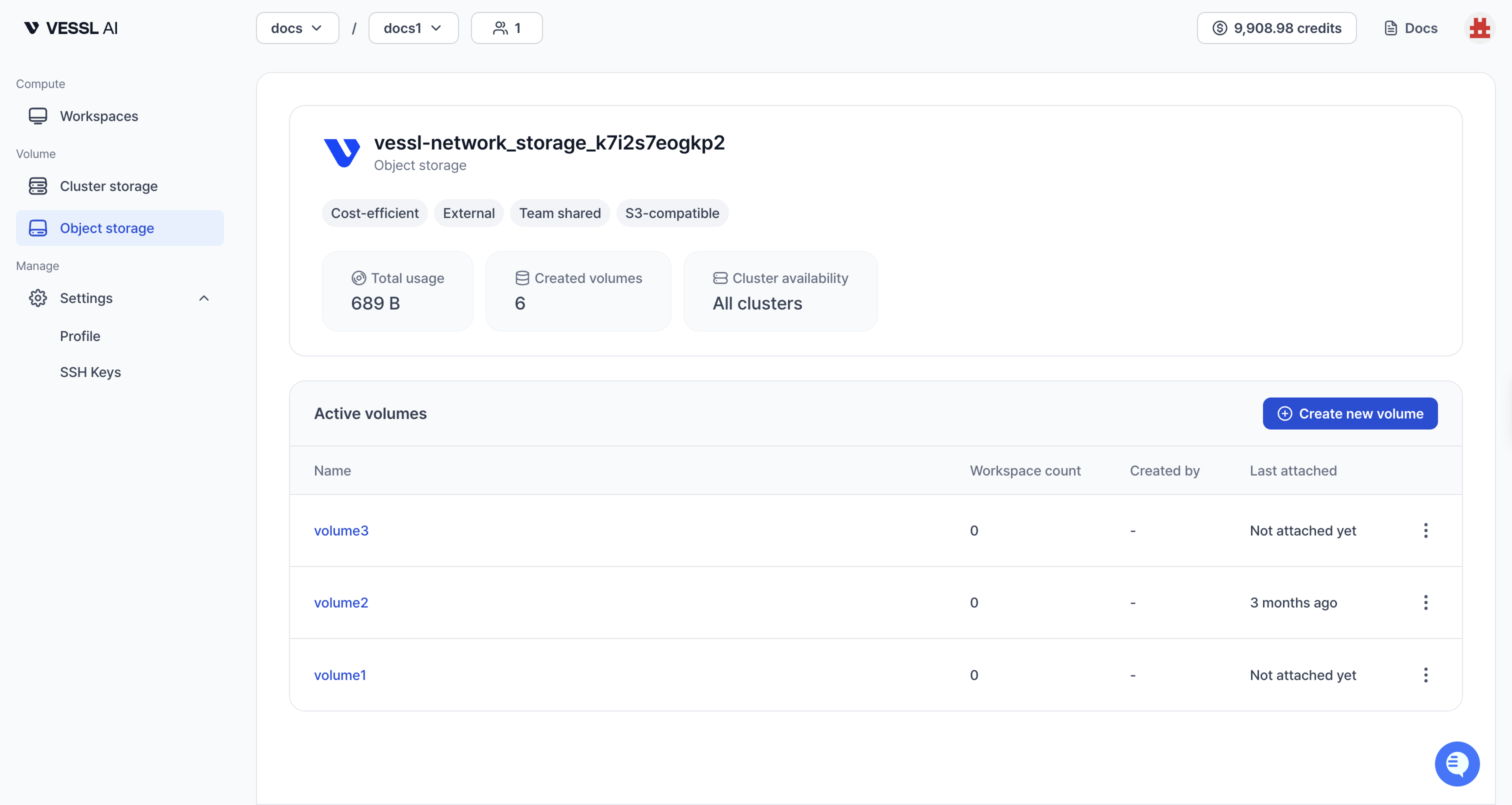 Example: Object storage volumes
### How to get started
1. **Create a volume**: Go to **Object storage** in the sidebar and click **Create new volume**. See [Create Object storage volume](/member/volume/create) for details.
2. **Mount to a workspace**: When [creating a workspace](/member/workspace/create), select Object storage volumes in the **Storage** step.
3. **Use it**: Access your files at the mount path (recommended `/shared`). Share datasets, checkpoints, and artifacts across teams and clusters.
Object storage is slower than Cluster storage and is not suitable as your main workspace path. VESSL Cloud rejects `/root` as an Object storage mount path, so the workspace will fail to create — use `/shared` or another dedicated path instead.
### Key characteristics
* **Cross-cluster access**: Mount from workspaces on any cluster in your organization
* **Read-Write-Many (RWX)**: Multiple workspaces can read and write simultaneously
* **S3-backed**: Durable, scalable storage
* **\~150 MB/s throughput**: Suitable for large dataset sharing
* **Self-service**: Any team member can create Object storage volumes
**Key difference:**
* **Object storage**: S3-based, accessible from all clusters. Best for shared datasets, checkpoints, and cross-cluster artifacts.
* **Cluster storage**: CephFS/NVMe-based, bound to one cluster. Best for code, virtualenvs, package installs, and fast persistent storage within the cluster.
## Which storage should I use?
| Use case | Recommended |
| -------------------------------------------- | --------------------- |
| Code, virtualenvs, pip/conda packages | **Cluster storage** |
| Large datasets for training within a cluster | **Cluster storage** |
| Share data across different clusters | **Object storage** |
| Long-term backup and archiving | **Object storage** |
| Quick scratch work (disposable) | **Temporary storage** |
## What changed from Workspace volume?
| | Legacy Workspace volume | Cluster storage |
| ----------------- | --------------------------- | ------------------------- |
| Data on terminate | Lost | **Preserved** |
| Sharing | Single workspace only (RWO) | Multiple workspaces (RWX) |
| Mount path | Fixed to `/root` | **User-configurable** |
| Billing | \$0.0070/hr per 50 GiB | \$0.20/GiB/month |
**Migration notice:** Cluster storage replaces the legacy **Workspace volume (deprecated)**, which was per-workspace with RWO semantics.
If you have existing Workspace volume data, contact [support@vessl.ai](mailto:support@vessl.ai) for migration assistance.
## Terminology mapping
| Concept | VESSL Cloud term | Kubernetes (typical) | Notes |
| -------------------- | ----------------- | ---------------------- | ------------------------------------------- |
| Cluster-bound shared | Cluster storage | PV/PVC on CephFS (RWX) | Distributed, multi-workspace within cluster |
| Cross-cluster shared | Object storage | PV/PVC on S3/NFS (RWX) | Network file share, any cluster |
| Ephemeral | Temporary storage | emptyDir | Deleted on stop/terminate |