> ## Documentation Index
> Fetch the complete documentation index at: https://docs.cloud.vessl.ai/llms.txt
> Use this file to discover all available pages before exploring further.
# Clean up workspaces
> Stop or terminate workspaces to control costs.
To avoid unnecessary charges after finishing your work:
Take a quick tour of pausing a workspace, terminating it, then using **View Terminated** to review history and **Delete** to permanently remove it.
Example: Pause workspace
1. Navigate to the **Workspaces** tab.
2. Open the kebab menu on a running workspace and confirm **Pause Workspace**.
To permanently remove a workspace:
Example: Terminate workspace
1. Click **Terminate**.
2. Type the workspace name and confirm termination.
Paused workspaces may still incur storage costs (Cluster storage is billed at \$0.20/GiB/month). Terminated workspaces incur no cost.
## Delete from list
To completely remove a terminated workspace from the list:
Example: Terminated workspaces list
1. Enable **View Terminated** toggle to see terminated workspaces.
2. Click the **Delete** button on the workspace card.
3. Type the workspace name and confirm deletion.
Terminated workspaces are no longer auto-deleted after 24 hours. Use **Delete** to manually remove them from the list when you no longer need the history.
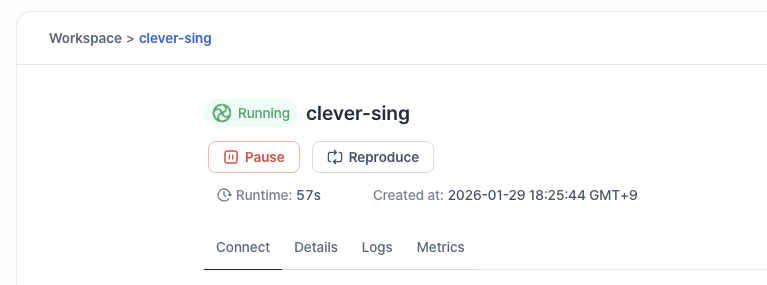 Example: Pause workspace
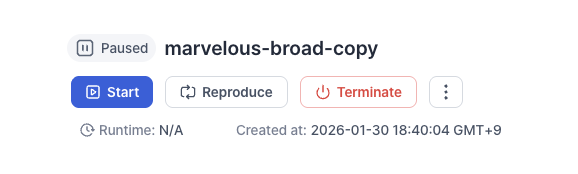 Example: Terminate workspace
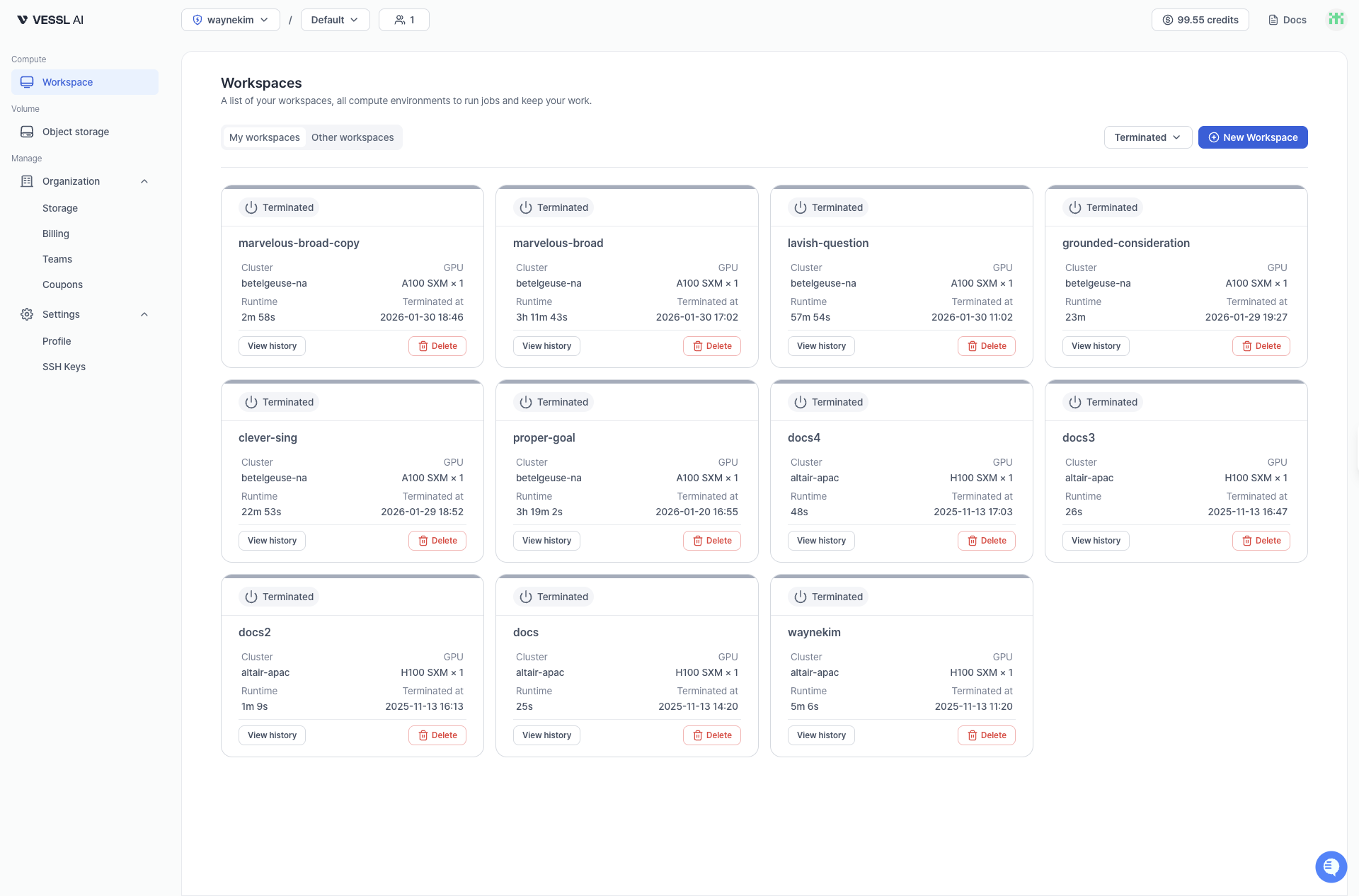 Example: Terminated workspaces list