> ## Documentation Index
> Fetch the complete documentation index at: https://docs.cloud.vessl.ai/llms.txt
> Use this file to discover all available pages before exploring further.
# Understand VM Clusters
> Rent 8+ GPUs for multi-node training, with full root access, InfiniBand, and shared storage.
**VM Clusters is in Beta.** It's ready for production pilots. For large or time-critical deployments, [talk to sales](https://vessl.ai/en/talk-to-sales?utm_source=docs\&utm_medium=referral\&utm_campaign=vm_clusters_en\&utm_content=overview_beta).
With **VM Clusters**, you rent a dedicated cluster of high-performance GPU nodes, each with 8 GPUs. GPUs from NVIDIA's Hopper to Blackwell generations (H100, H200, B200, B300) are available. [Talk to sales](https://vessl.ai/en/talk-to-sales?utm_source=docs\&utm_medium=referral\&utm_campaign=vm_clusters_en\&utm_content=overview_other_gpus) to scope a cluster for your workload. VESSL Cloud manages the GPU supply and provisioning; you get **full root access** on every node, with no other customers sharing your hardware.
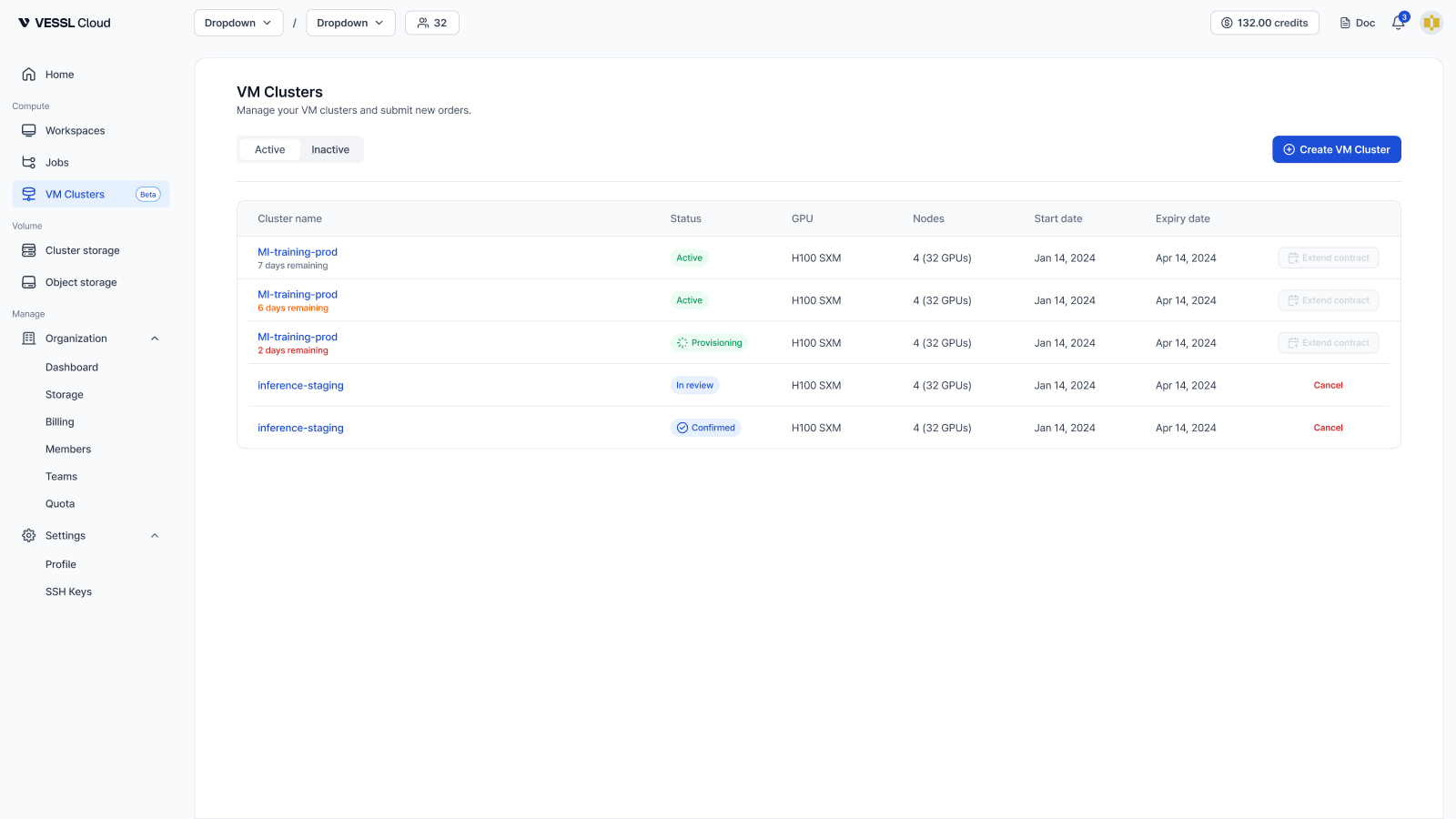 Example: VM Clusters list with multiple lifecycle states
## Why VM Clusters
* **Multi-node distributed training** — InfiniBand is provisioned by default, giving you high-bandwidth, low-latency RDMA networking between nodes for data- or model-parallel workloads.
* **Full root control** — swap GPU drivers, load custom kernel modules, and configure the OS however you need.
* **Near bare-metal GPU performance** — each VM gets its GPUs directly using GPU passthrough, keeping virtualization overhead minimal.
* **Bring your own stack** — install Slurm, Kubernetes, security agents, or your own deployment scripts. Root access on every node.
## What you get
| | |
| ------------------- | ---------------------------------------------------------------------------------------------------------------------------------------------------------------------------------------------------------------- |
| **Form factor** | VM with directly attached GPUs (passthrough), not bare metal |
| **GPU** | 8 per node |
| **Cluster size** | Multi-node, each node with 8 GPUs, [scoped with sales](https://vessl.ai/en/talk-to-sales?utm_source=docs\&utm_medium=referral\&utm_campaign=vm_clusters_en\&utm_content=overview_cluster_size) for your workload |
| **OS image** | Ubuntu 24.04 with CUDA preinstalled |
| **Networking** | InfiniBand between nodes, a dedicated public IP per node |
| **Boot disk** | 2 TiB per node |
| **Storage** | Optional NFS shared storage, 1–200 TiB |
| **Access** | Full root access on every node |
| **Contract length** | Arranged with sales; billed for the full term, including reboots and unhealthy windows |
**Boot disk data is not durable.** If a node is reprovisioned (for example, after a hardware failure), all data on its boot disk is lost. Keep training data, checkpoints, and any other important files on **NFS shared storage**, which is mounted across every node in the cluster.
**Data is deleted at contract expiry.** Once a contract ends, all VMs are stopped and all associated data — including boot disks and NFS storage — is permanently deleted. There's no grace period. We send reminder emails before expiry so you can back up or [extend the contract](/vm-clusters/extend-contract) in time.
## Core features
* **[NFS shared storage](/vm-clusters/nfs-storage)** — a shared filesystem mounted across all nodes in the cluster.
* **[Firewall rules](/vm-clusters/firewall-rules)** — inbound access control for the whole cluster, managed by you.
* **InfiniBand by default** — for node-to-node communication in multi-node training. A single-node cluster doesn't use InfiniBand; that node uses all of its resources exclusively.
* **[Health checks](/vm-clusters/health-checks)** and **[Metrics](/vm-clusters/metrics)** — per-node health verdict with GPU, InfiniBand, and ECC checks, plus time-series charts for GPU and system metrics. Refreshed every minute.
* **[Reboot](/vm-clusters/reboot)** — restart a VM yourself when you need to.
## Workspace vs VM Cluster
If you only need a containerized environment for development or single-node work, a [workspace](/member/workspace/overview) is faster to start and cheaper. Choose a VM cluster when you need kernel or driver control, multi-node training with InfiniBand, or a reserved cluster. See [Workspace vs VM Cluster](/vm-clusters/vs-workspace) for a full comparison.
VM Clusters is an Organization-level resource, managed by **Admin** members.
Tell us what you need and we'll scope and provision it.