

Overview
A job runs a command in a container and exits when the command finishes. Use it for training, inference, and batch processing workloads. There are three ways to create a job:- Console — fill in the Create Job form and submit. Best for your first few jobs.
- CLI — run
vesslctl job create. Best for automation, scripting, and reproducible runs. - Convert a workspace — clone a workspace’s image, resource spec, and volumes into a job. See Convert a workspace to a Job.
Prerequisites
- Available credit balance: Job creation is blocked when the balance is zero or negative. Add a payment method and top up from Billing.
- (CLI only) Authenticated
vesslctl: Runvesslctl auth loginto complete the browser OAuth flow. See the CLI Quickstart for the full setup. - (Optional) Persistent volume for outputs: Create an Object storage or Cluster storage volume ahead of time if you need to keep model checkpoints or other artifacts.
Create from the console
Open Jobs in the sidebar and click Create Job, then fill in the form. Most fields match the workspace creation flow — a job adds a command to run and drops the interactive pieces (SSH, ports).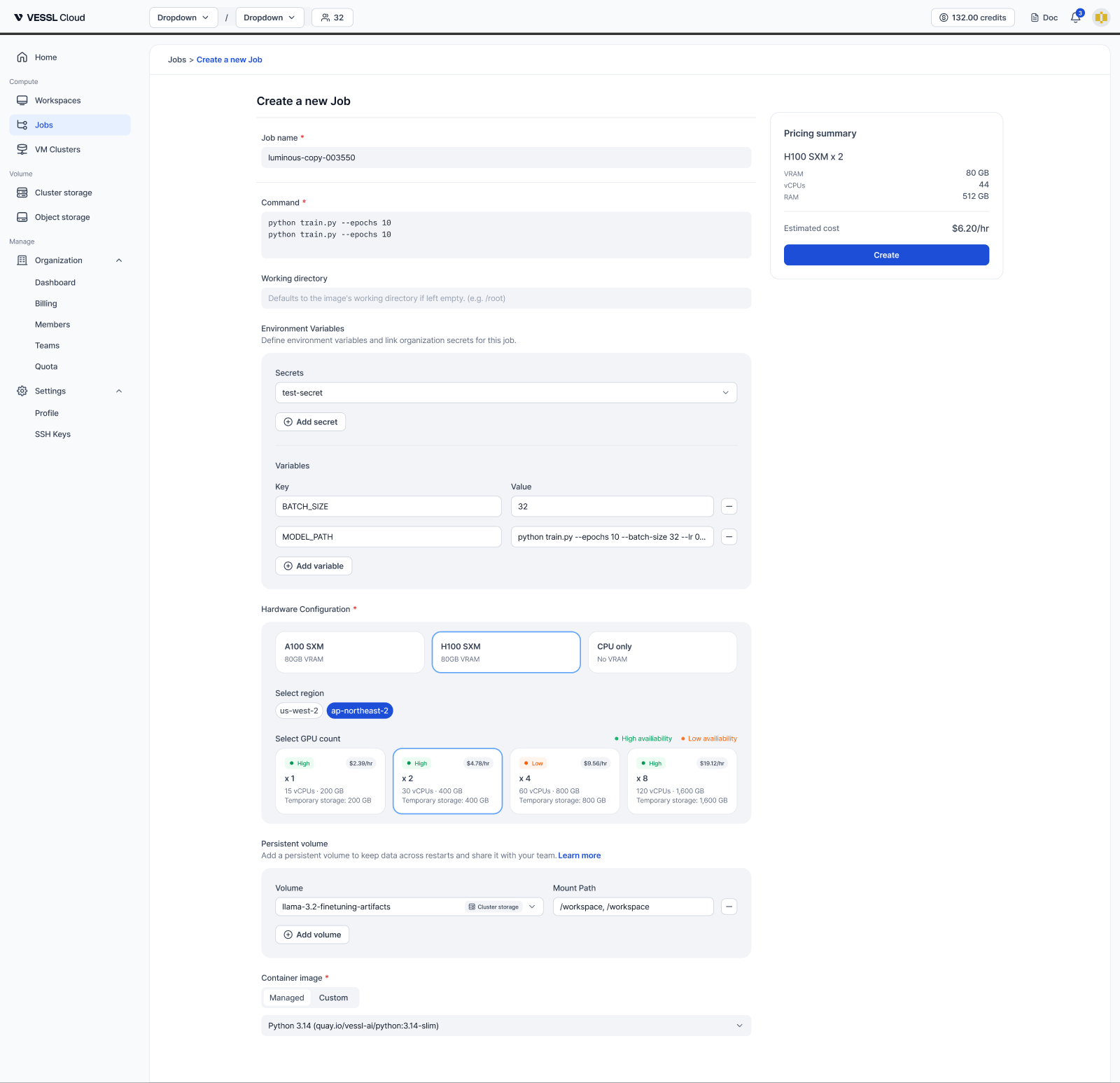
Review the Pricing summary on the right and click Create to submit. You’re taken to the job’s detail page, where you can watch status, logs, and metrics.
Create from the CLI
Provide a cluster, resource spec, container image, command to run, and any volumes or environment variables you need.Persist job output
Jobs run in ephemeral containers — anything written outside a mounted volume disappears when the job ends. Attach at least one Object storage or Cluster storage volume so your outputs survive.- Object storage (
--object-volume): Shared across clusters, ideal for final artifacts like trained models and evaluation metrics. Mount at a dedicated path such as/output. - Cluster storage (
--cluster-volume): Fast in-cluster storage, ideal for intermediate checkpoints during long training. Mount at/workspaceor similar.
Reuse a job configuration
Export an existing job’s configuration as JSON and resubmit it later:Submit a job from inside a workspace
Workspaces ship withvesslctl pre-authenticated with a workload token, so you can iterate on a script in JupyterLab and submit the same code as a batch job from the same shell. See vesslctl workspace for details.