

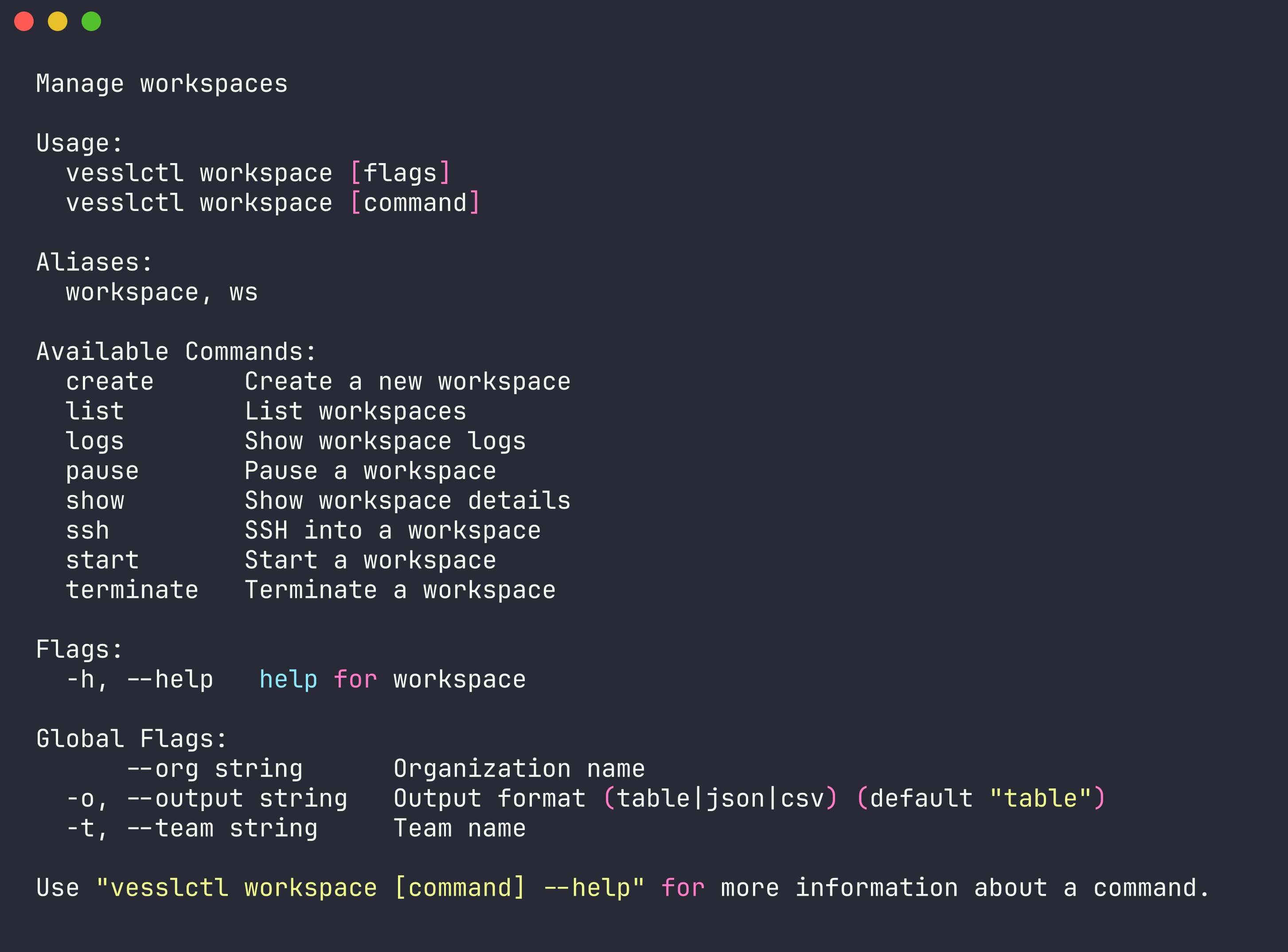
workspace command (alias: ws) lets you manage interactive development environments on VESSL Cloud. Workspaces provide persistent compute sessions you can pause and resume without losing data.
list
List all workspaces in the current team.show
Display detailed information about a specific workspace.create
Create a new workspace with a specified cluster, resource spec, and container image.
Example:
Pricing summary and credit balance.
workspace create and workspace start show the resource spec, hourly cost, current credit balance, and estimated remaining hours before launching. Creation is blocked when the balance is zero or negative — run vesslctl billing show to inspect, or top up before retrying.Run vesslctl inside a running workspace. Every workspace ships with the following environment variables already set, so
vesslctl is ready to use from a JupyterLab terminal or SSH session without re-authenticating:VESSLCTL_ACCESS_TOKEN— a workload-scoped token used as the bearer for API callsVESSLCTL_ORG— the organization that owns the workspaceVESSLCTL_TEAM— the team that owns the workspace
vesslctl workspace list, vesslctl job create, and vesslctl volume upload work straight away. The workload token has two restrictions worth knowing:- Scoped to a single team. It can only see and modify resources in the team that owns the workspace. It cannot list other teams or change context with
vesslctl team switch. - Cannot manage SSH keys. Registering or deleting SSH keys is an account-level action and is rejected for workload tokens. Run
vesslctl ssh-key addfrom your local machine first, then attach the key at create time withvesslctl workspace create --ssh-key <ssh-key-slug>.
start
Resume a previously paused workspace.pause
Pause a running workspace. Billing stops while paused, but all data is preserved.terminate
Permanently delete a workspace and all associated data.
Example:
logs
View logs from a workspace.
Example:
ssh
Open an SSH session into a running workspace.
Example:
ssh binary against the workspace’s SSH endpoint and authenticates with a registered SSH key — there is no browser OAuth step. Register a key first with vesslctl ssh-key add or in the console under Settings > SSH Keys.