

You can also open the Metrics tab while a workspace is paused — the most recent run’s charts stay visible without resuming.

Time range
Use the time range selector at the top of the charts to choose a window:- 1h (default), 6h, 12h, 1d, 7d
Display settings
Click the display settings control to customize the chart layout:- Grid mode (default): Charts are arranged two per row for a compact overview
- Expand mode: Charts are shown one per row for detailed analysis
GPU utilization
Shows GPU compute usage over time as a percentage. Use this chart to check whether your GPU is actively processing workloads.VRAM usage
Shows GPU video memory consumption over time. High VRAM usage can indicate risk of out-of-memory (OOM) errors.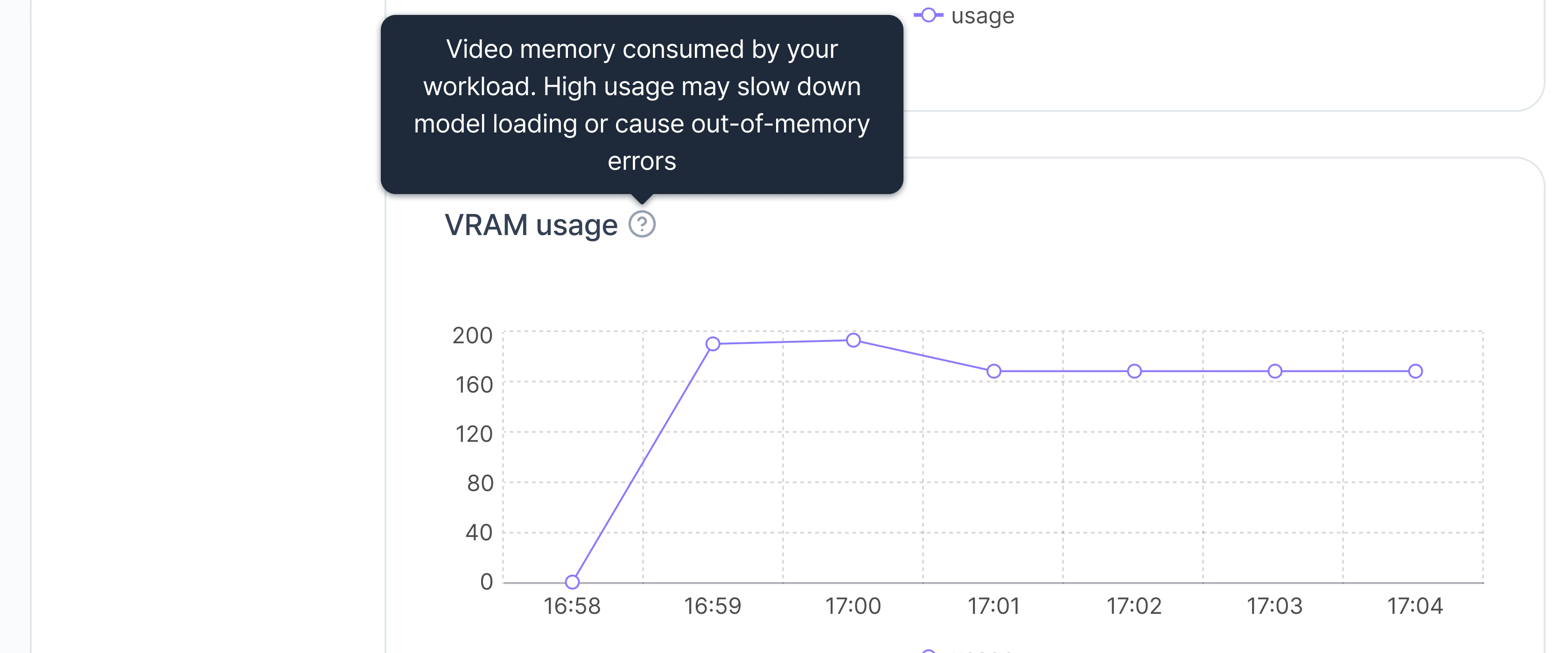
Temperature
Shows GPU temperature over time. Sustained high temperatures may trigger thermal throttling, reducing performance.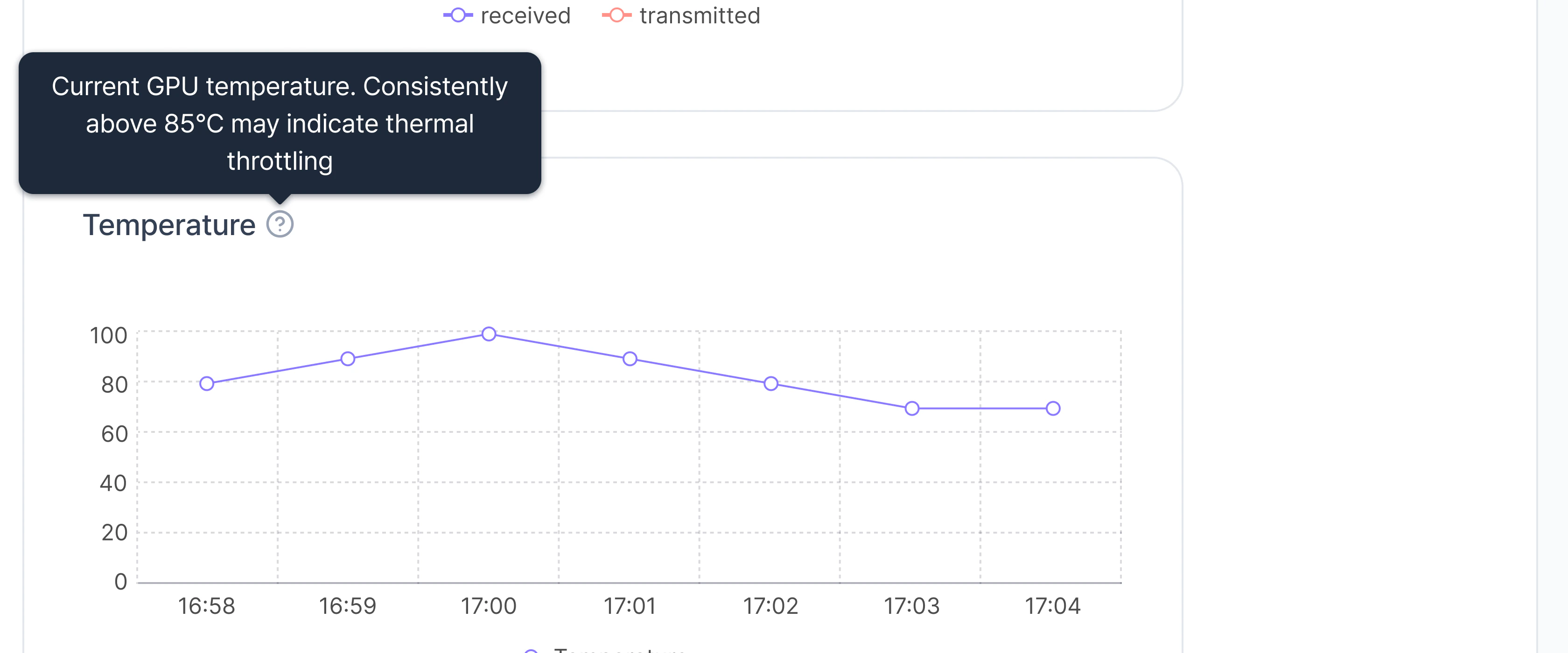
CPU and memory
- CPU Utilization: Percentage of allocated CPU cores in use.
- Memory Usage: System RAM consumed by the workspace.
Network I/O
Shows data transferred in (Rx) and out (Tx) of the workspace over time.Storage
Storage metrics show current usage for volumes attached to the workspace:- Temporary storage: Ephemeral storage included in the workspace. Data is cleared when the workspace stops or terminates
- Cluster storage: Persistent volumes mounted from Cluster storage (if attached)
- Object storage: S3-backed volumes mounted from Object storage (if attached)
Under-utilization and high-utilization banners
When you navigate to this page from the Home dashboard by clicking an under-utilized or high-utilization workload, a contextual banner appears at the top.Under-utilization banner
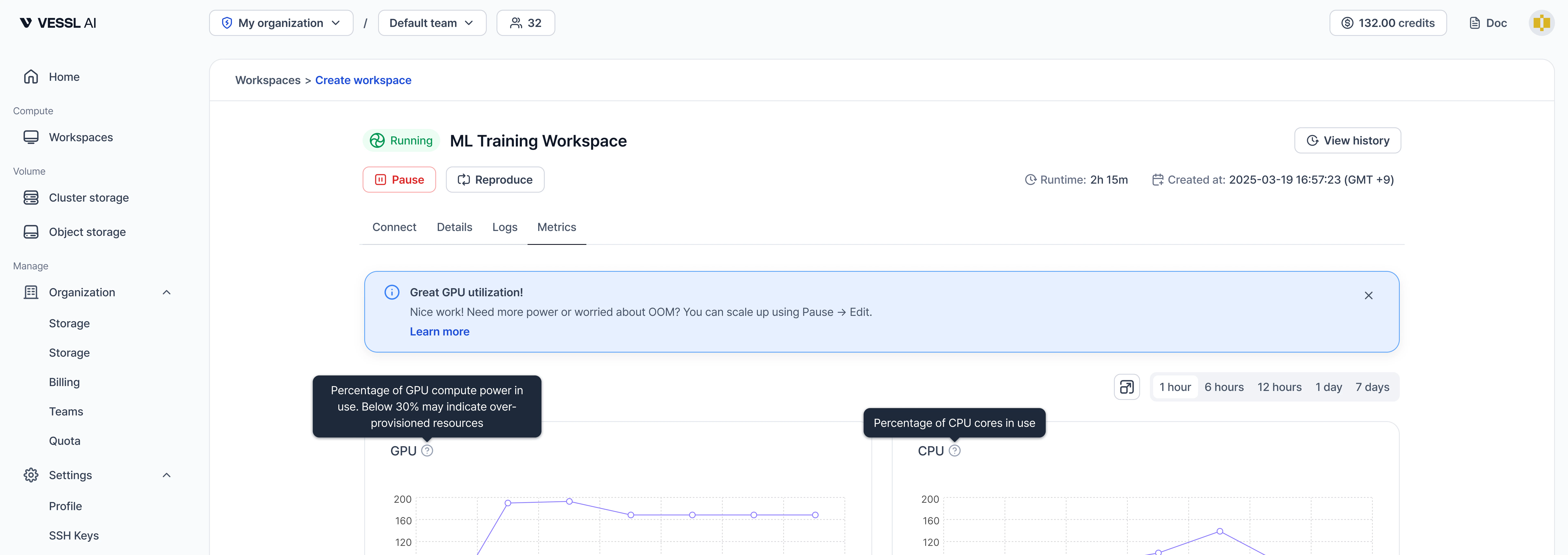
- Condition: GPU utilization below 30% (one-hour average)
- Banner context: Recommends downscaling via Pause & Edit to reduce cost
- Action: Links to the Pause & Edit documentation
- Dismiss: The banner can be dismissed; it reappears after 24 hours if the condition persists
High-utilization banner
- Condition: GPU utilization above 90% (one-hour average)
- Banner context: Recommends scaling up via Pause & Edit when more compute or memory is needed
- Action: Links to the Pause & Edit documentation